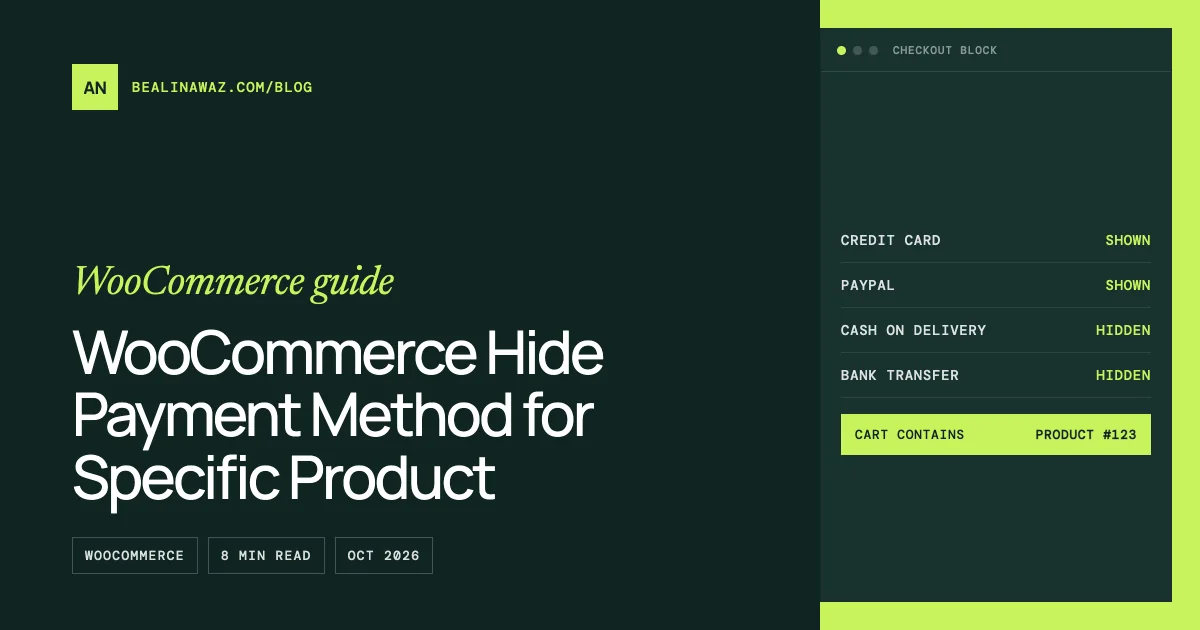
To hide a payment method for a specific product in WooCommerce, remove the gateway in the woocommerce_available_payment_gateways filter when the cart contains that product. This works on the block checkout too, because the Cart and Checkout blocks get their list of allowed payment methods from the same server-side function as the classic checkout.
That is the short answer to "woocommerce hide payment method for specific product". Below you get a snippet for product IDs, a snippet for categories, a way to test both on the block checkout, and the mistakes I see most often. I checked each claim in the WooCommerce source on GitHub and on developer.woocommerce.com, and I link the files so you can check them too.
Short answer: does the classic filter still work on the block checkout?
Yes. Here is the chain, straight from WooCommerce core:
WC_Payment_Gateways::get_available_payment_gateways()loops through the gateways, keeps the ones whoseis_available()returns true, and then runs the result throughapply_filters( 'woocommerce_available_payment_gateways', ... ). See includes/class-wc-payment-gateways.php.- The Store API cart response, which the blocks use, has a
payment_methodsfield. Its value isarray_values( wp_list_pluck( WC()->payment_gateways->get_available_payment_gateways(), 'id' ) ). See src/StoreApi/Schemas/V1/CartSchema.php. - In the browser, the Checkout block only shows a regular payment method if its name is in that
payment_methodslist, and only then asks the method's owncanMakePayment()callback. See client/blocks/packages/public-api/block-data/payment/utils/check-payment-methods.ts. - When the order is placed, the Store API checkout route calls
get_available_payment_gateways()again. If the submitted method is not in the list, it rejects the request with the error codewoocommerce_rest_checkout_payment_method_disabled. See src/StoreApi/Routes/V1/Checkout.php.
So one PHP filter hides the option on screen and also blocks the order on the server. You don't need JavaScript for this.
The gateway IDs for the built-in methods are cod (cash on delivery), bacs (direct bank transfer) and cheque. The block integrations use the same names. For example, BankTransfer.php sets $name = WC_Gateway_BACS::ID, and that constant is 'bacs'. For any other gateway, find its ID under WooCommerce > Settings > Payments, or ask the plugin author.
Where to put the code
Use one of these three places:
- A small custom plugin. This is my usual choice. The rule survives a theme change, and you can switch it off on the Plugins screen.
- Your child theme's
functions.php. Fine if you already run a child theme. Never edit the parent theme, because an update wipes your change. - The Code Snippets plugin. Paste the function without the opening
<?phptag and set it to run everywhere (front end included).
For the plugin route, create wp-content/plugins/hide-payment-by-product/hide-payment-by-product.php, add a plugin header, paste the code below it, and activate the plugin.
Code: WooCommerce hide payment method for specific product IDs
This snippet hides cash on delivery and bank transfer when the cart contains product 123 or 456. Replace the IDs with your own. You can list a variation ID too, if only one variation should trigger the rule.
<?php
/**
 * Plugin Name: Hide Payment Methods by Product
 * Description: Hides selected payment gateways when the cart contains certain products.
 */

add_filter( 'woocommerce_available_payment_gateways', 'an_hide_gateways_for_products' );

function an_hide_gateways_for_products( $gateways ) {
	// Leave the admin screens alone, but still run on AJAX requests.
	if ( is_admin() && ! wp_doing_ajax() ) {
		return $gateways;
	}

	// No cart in this request (cron, REST calls outside the Store API, and so on).
	if ( ! function_exists( 'WC' ) || null === WC()->cart ) {
		return $gateways;
	}

	$blocked_ids      = array( 123, 456 );     // Product or variation IDs.
	$gateways_to_hide = array( 'cod', 'bacs' ); // Gateway IDs.

	foreach ( WC()->cart->get_cart() as $cart_item ) {
		$product_id   = (int) $cart_item['product_id'];
		$variation_id = (int) $cart_item['variation_id'];

		if ( in_array( $product_id, $blocked_ids, true ) || in_array( $variation_id, $blocked_ids, true ) ) {
			foreach ( $gateways_to_hide as $gateway_id ) {
				unset( $gateways[ $gateway_id ] );
			}
			break;
		}
	}

	return $gateways;
}
Why it looks like this:
$cart_item['product_id']always holds the parent product ID, even for a variable product. The chosen variation is in$cart_item['variation_id'], which is0for simple products. Checking both covers either case.unset()on a key that isn't there does nothing, so the code is safe even if bank transfer is turned off in your settings.- The
breakstops the loop after the first match. One blocked product is enough.
Code: hide a payment method for a product category
Same idea, but the rule follows a category. That way new products in the category are covered without editing code.
<?php
add_filter( 'woocommerce_available_payment_gateways', 'an_hide_gateways_for_categories' );

function an_hide_gateways_for_categories( $gateways ) {
	if ( is_admin() && ! wp_doing_ajax() ) {
		return $gateways;
	}

	if ( ! function_exists( 'WC' ) || null === WC()->cart ) {
		return $gateways;
	}

	$blocked_categories = array( 'gift-cards', 'pre-orders' ); // Slugs, names or term IDs.
	$gateways_to_hide   = array( 'cod' );

	foreach ( WC()->cart->get_cart() as $cart_item ) {
		// Categories belong to the parent product, so use product_id, not variation_id.
		if ( has_term( $blocked_categories, 'product_cat', $cart_item['product_id'] ) ) {
			foreach ( $gateways_to_hide as $gateway_id ) {
				unset( $gateways[ $gateway_id ] );
			}
			break;
		}
	}

	return $gateways;
}
has_term() is a WordPress core function. It accepts term slugs, names or IDs, and the taxonomy for WooCommerce product categories is product_cat. Variations don't carry categories of their own, which is why the check uses the parent ID.
Don't run both snippets with the same function name. If you need product and category rules together, merge the two checks into one function.
Testing it on the block checkout
Test as a customer, not as an admin.
- Open a private browser window. Add one of the blocked products to the cart and go to the Checkout block page. The hidden methods should be gone from the payment options.
- Check the Store API response. In the same window, visit
/wp-json/wc/store/v1/cart. Look atpayment_methods. If it still listscod, the filter isn't running, so check that the plugin is active and the function name is unique. - Change the cart. Remove the blocked product from the Cart block. The Store API returns a fresh cart object after each change, with a new
payment_methodslist. Go back to checkout and the method should be back. - Try a variation and a child category. If you used a category rule, add a product that sits only in a subcategory. Then read the "common mistakes" section below.
- Check the classic checkout too, if any page still uses the
[woocommerce_checkout]shortcode. The same filter drives it, so the result should match.
If the method still shows after all this, look for a caching or optimization plugin that serves the Store API from cache, or another plugin that adds the gateway back on the same filter with a later priority.
Common mistakes
Using is_checkout() as a guard. Many old snippets wrap the logic in if ( is_checkout() ). On the block checkout, the payment list comes from REST requests to the Store API, not from a normal checkout page load, so a page check like that is not a reliable guard. Rely on the cart check instead.
Guarding with is_admin() alone. is_admin() is true for admin-ajax.php requests. That's why the snippets above use is_admin() && ! wp_doing_ajax().
Assuming child categories count. has_term( 'clothing', 'product_cat', $id ) only checks the categories the product is directly assigned to. A product in "Clothing > Shirts" that isn't also ticked under "Clothing" won't match. List the child slugs too, or assign the parent category.
Expecting this to hide express buttons. In check-payment-methods.ts, the server list check is skipped for express payment methods such as Apple Pay or Google Pay buttons. They decide for themselves through their own canMakePayment(). Whether an express order is then stopped depends on how that extension places the order. Test express buttons separately, and check the gateway's own settings.
Forgetting the order-pay page. On the "pay for order" page, the customer pays for an existing order, and the cart has nothing to do with that order. The snippets above read the cart, so they won't catch a blocked product on that page. If you send payment links for orders, add a check against the order's items there.
Hiding the only payment method. If every gateway is removed, the customer can't pay at all. Make sure at least one method stays for the products you restrict.
What about JavaScript and canMakePayment?
There is a client-side option. WooCommerce documents registerPaymentMethodExtensionCallbacks from @woocommerce/blocks-registry. It lets an extension add a callback for any payment method registered with the blocks, by its name, including third-party ones. In the source (payment-method-config-helper.ts), these callbacks run after the method's own canMakePayment() returns true, and every callback must return true for the method to show.
It only changes what the shopper sees, though. The order request still goes to the server, and the server check uses the PHP list. For "this product can't be paid by cash on delivery", the PHP filter is the right tool. Use JavaScript only when the rule depends on something that exists only in the browser.
FAQ
Does woocommerce_available_payment_gateways work with the Checkout block?
Yes. The Store API cart response builds its payment_methods list from get_available_payment_gateways(), which applies that filter. The Checkout block only shows regular payment methods that appear in the list.
Can I hide a payment method for a specific product without code?
Yes. Several plugins on WordPress.org and WooCommerce.com add conditional payment rules. Check that the plugin says it supports the Cart and Checkout blocks before you buy, and test it with the steps above.
Will the customer see an error if they had the hidden method selected?
The block checks the new list when the cart changes. If the active method is no longer available, it selects a default from the remaining ones. If an old request still sends the hidden method, the Store API rejects it with a "not available for this order" message.
How do I hide a payment method for one variation only?
Put the variation ID in the $blocked_ids array in the product snippet. It compares variation_id as well as product_id.
Does this work for Stripe, PayPal or other gateways?
For their regular, non-express payment methods, yes, as long as you use the right gateway ID. Express buttons follow their own rules, as explained above.
When to get help
If your rules go beyond one product or one category, the code grows fast. Think shipping zones, user roles, cart totals, B2B accounts, or a gateway with its own block integration. That's the kind of checkout work I build and test as part of my WooCommerce development service. I can write the rule, check it on both the block and classic checkouts, and leave you code you can read.