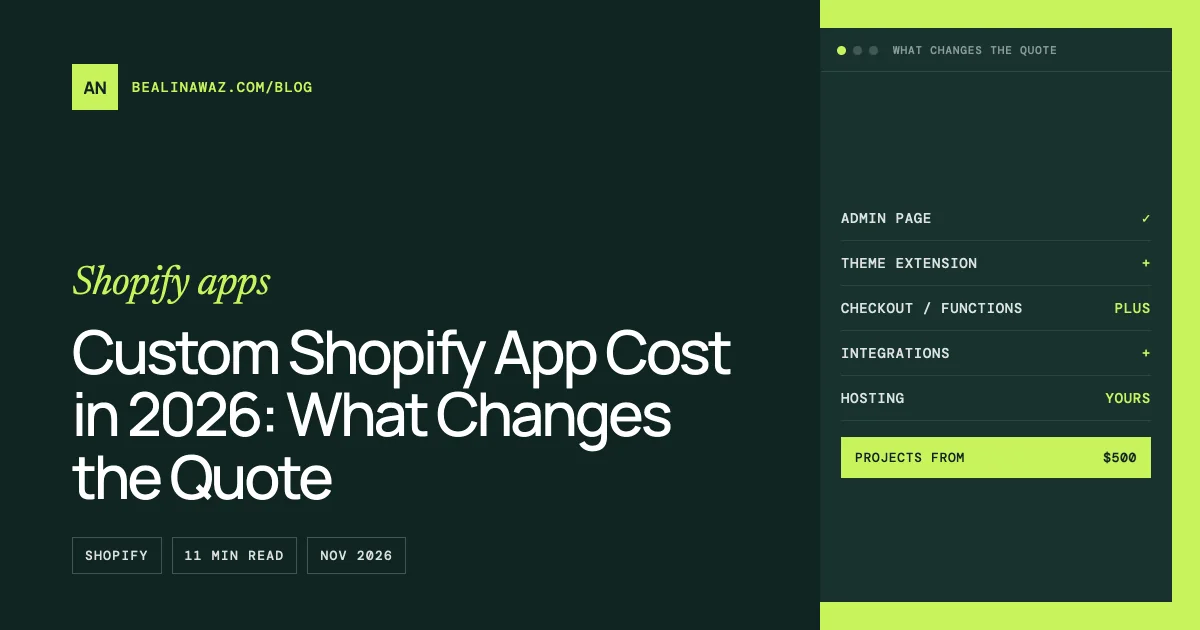
A custom Shopify app costs whatever its scope costs: a small admin tool that reads orders and writes a report is a few days of work, while an app with a checkout extension, a theme extension, Shopify Functions and an ERP connection is a project of weeks. My Shopify app projects start at $500, and every quote is based on written requirements rather than a price list.
There's no price table in this post on purpose. Tier tables like "simple app $5,000 to $15,000" can't tell you whether your app is simple, and the things that decide the price are mostly Shopify's platform rules: which plan the store is on, where in Shopify the app has to show up, who hosts it, and how it gets paid for. Those rules changed a lot in 2026, so here's what actually moves the cost of a custom Shopify app, checked against Shopify's documentation on 6 November 2026.
Custom app or public app: which one are you paying for?
Shopify has two ways to distribute an app, and they cost different amounts to build and run:
| Custom app | Public app | |
|---|---|---|
| Who it's for | One store, or several stores in one Shopify Plus organization | Any merchant, usually through the Shopify App Store |
| App Store review | Not needed | Required, with its own requirements and fixes |
| Billing merchants through Shopify | Not possible | Shopify App Pricing (subscriptions, usage, or both) |
| Revenue share | None | 0% on the first US$1 million of lifetime revenue, then 15% |
| Typical buyer | A merchant paying a developer to build it | A developer or company building a product to sell |
Most merchants asking about cost need a custom app: something that does one job for their store. A public app costs more to build because of the App Store review, support for many store setups, and billing, and it only makes sense if you plan to sell it. For the full comparison, see Shopify custom app vs public app.
One detail that surprises people: a custom app can't charge a store through Shopify's billing system. You pay the developer for the build directly, once or under a support contract, instead of through a monthly app charge on your Shopify bill.
What changed for Shopify apps in 2026
Three changes affect what a new app costs to build this year:
- No more custom apps created in the Shopify admin. Since 1 January 2026, new custom apps can't be created in the admin. They're created in the Dev Dashboard and installed on the store from there. Existing admin-created apps keep working, but the old copy-a-token-from-the-admin shortcut is gone for new builds, so authentication now takes proper setup. How to get a Shopify Admin API access token in 2026 covers the current options.
- Shopify App Pricing replaced the Billing API as the default. On 12 May 2026, Shopify renamed Managed Pricing to Shopify App Pricing and made it the default way public apps charge merchants. The Billing API still works but is now legacy. App Pricing supports free, monthly, yearly and usage-based plans and free trials, but not one-time purchases.
- Script tags are on their way out. Apps can't create or update script tags after 1 October 2026, and existing ones stop running on 1 March 2027. Anything that used to inject a script into the storefront has to become a theme app extension instead (or a web pixel, if it only collects analytics).
If someone quotes you a build that relies on an admin-created token or a script tag, the quote is out of date.
What changes the quote
These are the line items that move the price of a custom Shopify app, roughly in order of how much they add.
Where the app has to appear
An app is a backend plus one or more "surfaces", the places in Shopify where it shows up. Each surface is separate work:
- An admin page inside Shopify, built with Polaris components and App Bridge. Almost every app has one.
- An admin UI extension, a card or action on Shopify's own product, order or customer pages.
- A theme app extension, the supported way to add blocks or scripts to the storefront. It has to be tested against the themes the store might use.
- A checkout UI extension, which adds fields or content to checkout.
- Shopify Functions, small programs Shopify runs for discounts, delivery and payment customizations, cart validation and similar logic.
A report that only lives in the admin is the cheapest kind of app. Every extra surface adds build and testing time.
The store's Shopify plan
The store's plan decides what's possible at all:
- Shopify Functions in custom apps need Shopify Plus. Shopify's documentation says only Plus stores can use custom apps that contain Function APIs. A public app with Functions works on any plan, but a custom one doesn't.
- Checkout UI extensions on the information, shipping and payment steps are Plus only.
- API speed depends on the plan. The GraphQL Admin API allows 100 cost points per second on standard plans, 200 on Advanced, and 1,000 on Plus. An app syncing tens of thousands of products needs to be built around those limits, often with bulk operations, which takes more work on smaller plans.
Building the right thing for the plan saves money. Planning a checkout feature for a Basic store, then finding out it needs Plus, is the most expensive mistake in this list.
Data volume and integrations
An app that reads a few hundred orders is simple. One that syncs 50,000 products both ways with an ERP, a 3PL or a CRM needs queueing, retries, rate-limit handling, webhook processing and a way to reconcile records when something fails. The other system's API matters as much as Shopify's: a well-documented REST API is a few days of work, while an old SOAP interface or a nightly FTP file is much more.
Hosting and the database
Shopify doesn't host your app's backend. Its deployment documentation is clear that you choose a hosting provider and it runs your app's server; it lists Vercel, Google Cloud Run, Fly.io and Render as options. You also need a database for sessions and the app's own data. Extensions and Functions are the exception: Shopify runs those itself, so a small app built only from them needs very little server.
For a custom app on one store, hosting is often free or a few dollars a month, but someone has to set it up, monitor it and keep it updated. Price that in rather than discovering it after launch.
Billing, privacy and review (public apps)
A public app also needs a billing setup in Shopify App Pricing, the mandatory customer data and shop data privacy webhooks, an App Store listing, and time for the review and the fixes reviewers ask for. Those are real line items that a custom app skips.
Testing
Storefront features get tested on more than one theme, checkout features on real test orders, and integrations against the real other system. Testing is where a cheap quote usually cuts corners, and where a good one shows you what's covered.
Ongoing costs after launch
A Shopify app isn't finished when it's installed. Budget for:
- API version upgrades. Shopify releases a new API version every three months, and each stable version is supported for at least 12 months. An app that's never updated eventually falls forward onto a newer version and can break. Plan for a check at least once a year.
- Hosting and database fees, plus the time to keep server dependencies patched.
- Theme and checkout changes on the store. A redesigned theme can move or remove an app block.
- Changes in the other systems the app connects to.
Every project I deliver includes 15 days of free support after launch. After that, maintenance is either a monthly arrangement or per task, whichever suits how often the app needs attention.
Replacing Shopify Scripts or script tags? Price that separately
Two migrations are pushing a lot of stores to commission apps this year. Shopify Scripts, the Ruby scripts Plus stores used for discounts and shipping rules, stopped running on 30 June 2026, and their logic now has to live in Shopify Functions; how to replace Shopify Scripts with Functions walks through a tiered discount example. And storefront code added through script tags has to move to a theme app extension, or to a web pixel if it only tracks conversions, before 1 March 2027.
Both are well-defined jobs that are easier to quote than a new app, because the current behaviour is the specification. Price them on their own rather than folding them into a larger build.
A real example: what takes the time in a Shopify app
I'm building a public Shopify app for deposits and pre-orders, so these are the costs I see from the inside, not estimates from someone else's blog. It uses React Router, Polaris web components and App Bridge for the admin, Prisma for the database, a theme app extension for the storefront, an admin UI extension on the product page, Shopify's selling plans API, and webhooks for orders and catalog changes.
The parts that took the most time weren't the obvious ones:
- Storefront behaviour across themes. Getting the same cart and product-page display to work on several themes took longer than the admin pages, because every theme builds its cart differently.
- Platform rules found by testing, not reading. How discount codes, shipping and express checkouts behave with deferred payments only became clear on a test store with real test orders.
- Edge cases in the admin. What happens when a product sits in two plans, or a collection changes after setup, needed rules, warnings and tests.
- Hosting and webhooks. Choosing hosting that answers Shopify's webhooks within its time limits without paying for an always-on server was its own small research project.
A custom app for one store skips some of this, since there's one theme and one checkout, but the lesson holds: the cost sits in the behaviour you have to verify, not in the number of screens.
Common mistakes that raise the cost
- Building custom when a public app already does the job. If an existing app covers 90% of the need at a few dollars a month, that's usually cheaper than any custom build.
- Planning Functions or checkout steps for a non-Plus store. Check the plan first.
- Forgetting hosting and the database. Shopify doesn't provide them for your app's backend.
- Asking for a script tag or a legacy admin token. Both are on their way out; building on them means paying twice.
- No plan for API version upgrades. An app nobody updates becomes a problem a year or two later.
- A vague specification. "An app that syncs inventory" can mean two days or two months. Written examples of what goes in and what comes out make the quote accurate.
How to get an accurate quote
Send these, even roughly, and you'll get a fixed quote rather than a range:
- Your Shopify plan, and whether you might move to Plus.
- The job the app does, with one or two real examples: "when an order with tag X arrives, do Y".
- Where it appears: admin only, product pages, the storefront, checkout.
- The data involved and roughly how much of it: products, orders, customers, metafields.
- Other systems it connects to, with links to their API documentation if you have them.
- Who uses it day to day, and your deadline.
I reply within 24 hours. Quotes are in US dollars, paid 50% in advance and 50% on delivery. My pricing policy is to charge about half of what agencies typically quote for the same work, because you're paying one developer rather than an agency's overhead.
Frequently asked questions
How much does a custom Shopify app cost?
It depends on the scope: where the app appears in Shopify, the store's plan, the data and integrations involved, and hosting. A small admin-only tool takes days; an app with storefront, checkout and ERP parts takes weeks. My projects start at $500, quoted from written requirements.
Do custom Shopify apps need Shopify Plus?
Not in general. A custom app works on any plan. Plus is required for custom apps that contain Shopify Functions and for checkout UI extensions on the information, shipping and payment steps.
Does Shopify host my app?
No. You or your developer host the app's backend with a provider such as Google Cloud Run, Fly.io, Render or Vercel. Shopify runs Functions and extensions itself, so apps built mainly from those need very little server.
Does Shopify take a cut of a custom app?
No. Custom apps can't bill through Shopify, so there's no revenue share. Public apps pay 0% on their first US$1 million of lifetime revenue and 15% after that, plus a 2.9% processing fee.
What does a Shopify app cost to maintain?
Mainly hosting and API upgrades. Shopify releases a new API version every three months and supports each one for at least 12 months, so an app needs a check and an update at least once a year, plus fixes when the theme or a connected system changes.
Can I still create a custom app in the Shopify admin?
Not a new one. Since 1 January 2026, new custom apps are created in the Dev Dashboard and installed on the store from there. Apps created in the admin before that date keep working.
When to get help
If the app is a small admin tool, a clear specification and a few days of work are often enough. When it touches checkout, the storefront, Functions or another business system, the plan rules and testing are where most of the work sits, and that's what I scope carefully before quoting. See my Shopify app development service for what I build and how projects run.