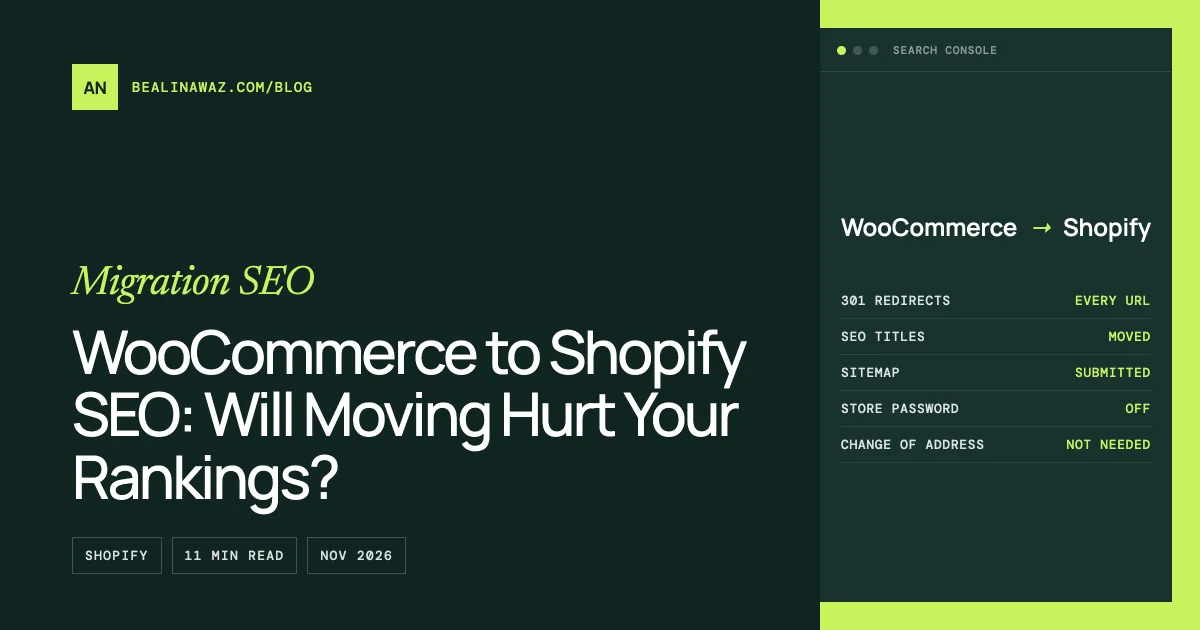
Moving from WooCommerce to Shopify doesn't hurt SEO by itself, but a short dip is normal. Google says to expect temporary ranking changes during any site move, and a medium-sized site can take a few weeks or more to settle. Lasting losses almost always come from missing redirects, lost content, or a store left password-protected, not from Shopify.
This post covers WooCommerce to Shopify SEO from start to finish: what Google says happens during the move, what you gain on Shopify, what Shopify won't let you control, what doesn't move over by itself, and a Search Console checklist for launch week. The step-by-step redirect work has its own guide: WooCommerce to Shopify redirects.
What Google says happens when you change platforms
If you keep your domain and switch from WooCommerce to Shopify, Google treats it as a site move with URL changes. Your domain stays the same, but the paths change: /product/blue-mug/ becomes /products/blue-mug, and /product-category/mugs/ becomes /collections/mugs. Google's documentation for this kind of move, checked on 6 November 2026, says:
- Expect fluctuation. "Expect temporary fluctuation in site ranking during the move." This is Google telling you a dip is normal, not a sign that something broke.
- It takes weeks, not days. For a medium-sized site, Google says the move can take "a few weeks or more" to process, and larger sites take longer. The move is only complete once Googlebot has crawled every old URL and every new one at least once.
- Redirects carry the history. Google asks for permanent server-side redirects (301 or 308) from each old URL to its new one. It treats those as a strong signal that the new page replaces the old one. A 302 doesn't send that signal.
- Keep redirects for at least a year. Removing them early throws away the signal before Google has finished with it.
- Don't send everything to the home page. Many old URLs redirected to one unrelated page can be treated as soft 404s, which pass nothing.
Google gives no percentage for how much traffic you'll lose, and you should be wary of any article that does. In my experience the size of the dip depends far more on how the move is done than on the platform you move to.
One thing you don't need: Search Console's Change of Address tool. Google says it's only for moving from one domain or subdomain to another. If yourstore.com stays yourstore.com, you keep the same Search Console property and skip it.
Is Shopify good for SEO?
Yes. Shopify stores rank well every day, and for many store owners the move removes problems they had on WooCommerce. What you gain:
- Hosting you don't manage. Shopify hosts and serves the storefront, includes SSL, and handles server updates. Slow shared hosting, outdated PHP and caching plugins fighting each other are common reasons WooCommerce stores score poorly on Core Web Vitals, and they disappear.
- A sitemap that maintains itself. Shopify generates
/sitemap.xmlautomatically and updates it as you add or remove products, collections, pages and posts. - Canonical tags out of the box. Shopify themes print a canonical URL on every page, which keeps duplicate versions of a page from competing with each other.
- A sensible default robots.txt. Shopify's default file blocks cart, checkout, account and admin pages, plus filtered and sorted collection URLs that would otherwise create thousands of near-duplicate pages. Shopify describes the default as optimal for SEO.
- Built-in structured data. Shopify's
structured_dataLiquid filter outputs schema.org Product (or ProductGroup for products with variants) and Article markup. Many themes use it, so product pages can show price and availability in search results without a plugin. - Fewer moving parts. No plugin updates that break the cart, no security patches to chase. Stability is an underrated SEO factor.
Whether Shopify is better than WooCommerce for SEO depends on the store. A well-built WooCommerce site with good hosting and a careful SEO plugin setup can do everything Shopify does and more, because you control every file. Shopify trades some of that control for less maintenance.
WooCommerce vs Shopify SEO: what you can't control on Shopify
This is the part most migration guides leave out. If you're used to WordPress, these Shopify limits will surprise you, so plan around them before launch:
- Fixed URL prefixes. Products always live under
/products/, collections under/collections/, pages under/pages/and blog posts under/blogs/<blog-name>/. You can change the handle (the last part) but not the prefix. That's why every URL changes and why redirects decide the outcome. - No category hierarchy in URLs. WooCommerce can produce
/product-category/kitchen/mugs/; Shopify collections are flat. Nested categories have to be flattened into single collection handles. - Some old paths can't be redirected. Shopify blocks redirects from paths that start with
/shop,/cart,/appsand a few others. If your WooCommerce products lived under/shop/, those URLs can't be redirected with Shopify's own tool. Check your product permalink setting before you plan the move. - robots.txt edits are risky. You can only change robots.txt through a
robots.txt.liquidtheme template, and Shopify calls this an unsupported customization that, done wrong, "can result in loss of all traffic". Leave the default alone unless you have a specific reason. - Duplicate product URLs from collections. Many themes link to products through
/collections/mugs/products/blue-mug, and Shopify's own documentation for thewithinfilter notes that this shows the same content at two URLs. The canonical tag usually points both at/products/blue-mug, but check yours: open a product from a collection page, view the source, and look at therel="canonical"link. - Limited built-in schema. The
structured_datafilter covers products and articles. Breadcrumbs, FAQs, reviews and organization markup come from your theme or an app, so test key pages with Google's Rich Results Test after launch. - Blog tags instead of categories. Shopify blog posts are grouped by tags, so WordPress blog categories become tag pages such as
/blogs/news/tagged/recipes.
None of these stops a Shopify store from ranking. They mean the migration plan has to account for them instead of assuming Shopify works like WordPress.
URLs will change: why redirects decide the outcome
Every product, collection, page and post gets a new URL on Shopify, so the single biggest factor in keeping your rankings is a complete set of 301 redirects, loaded before the domain switches over. A store that redirects every old URL to its closest new match usually sees a short dip and a recovery. A store that redirects only the products, or nothing at all, can lose the long tail of category, tag and blog traffic for good.
The full method, with Shopify's limits and a pattern-by-pattern URL map, is in WooCommerce to Shopify redirects. Two free tools do most of the work: the migration redirect generator turns your WooCommerce URL list into Shopify's import CSV, and the bulk redirect checker tests every redirect after import, hop by hop.
What doesn't move over automatically
Shopify's Store Migration app imports products and customers from WooCommerce exports. Plenty of SEO value lives elsewhere, and you have to move it on purpose:
| What | Where it lived on WooCommerce | What to do on Shopify |
|---|---|---|
| SEO titles and meta descriptions | Yoast SEO or Rank Math fields | Export them and import into Shopify's SEO fields for products, collections, pages and posts. Without them, Shopify falls back to the product name and description |
| Category descriptions | WooCommerce category description | Copy into each collection's description. Thin collection pages rank worse than the categories they replaced |
| Blog posts and pages | WordPress posts and pages | Not included in WooCommerce product exports. Move them with a migration app or by hand, keeping the same content and images |
| Image alt text | WordPress media library | Check that your migration tool carries it over; set it on product images where it didn't |
| Product reviews | Usually a WooCommerce reviews plugin | Import into a Shopify reviews app that outputs review markup |
| Structured data | SEO plugin or theme | Check what your Shopify theme outputs, and fill gaps with an app or theme code |
| Internal links | Product descriptions, posts, menus | Update links in content to the new Shopify URLs, so they don't depend on redirects |
The most expensive item to forget is content. If a category page ranked because of 300 words of helpful text, an empty Shopify collection at the same position won't hold that ranking, redirect or not.
Launch-week Search Console checklist
Before launch
- Export your Search Console Performance report by page and by query for the last 16 months, and the Page indexing list. This is your baseline and your URL inventory.
- Record your top 50 pages by clicks. These are the URLs you'll check by hand.
- Build and import the redirect CSV in Shopify, and test it on the Shopify preview before switching the domain.
- Check that every collection, page and product has an SEO title and description.
Launch day
- Remove the store password. A password-protected Shopify store can't be crawled. This mistake is more common than it should be.
- Point the domain at Shopify, then run the bulk redirect checker against your old URL list: every row should be a single 301 to a page that returns 200.
- Submit
https://yourstore.com/sitemap.xmlin Search Console. Keep the same property; don't use Change of Address. - Run URL Inspection on your top 10 pages and request indexing for the new URLs.
The following weeks
- Watch the Page indexing report. "Page with redirect" for old URLs is expected. "Not found (404)" lists old URLs you missed; add redirects for them. "Soft 404" often means a redirect to an unrelated page.
- Compare clicks per page each week against your baseline.
- Ignore sitemap warnings about redirecting URLs if you resubmitted an old WooCommerce sitemap; Google says these are normal during a move. Once the new URLs are indexed, you can remove the old sitemap.
How long until rankings recover?
Google doesn't promise a timeline. Its own guidance is "a few weeks or more" for a medium-sized site, and Shopify's help center says indexing takes "a few days to a few weeks". Here's what to expect, roughly:
- First days: Google starts crawling the new URLs and following redirects. Crawling can dip briefly and then pick up. Rankings may bounce around.
- First few weeks: most important pages switch to their new URLs in search results. Impressions on old URLs fall as impressions on new ones rise.
- After that: if rankings for a page haven't come back, check it directly. Is the redirect a single 301? Does the new page have the same content, title and description? Is it linked from the menu or collections?
A page that lost ranking because its content got thinner won't recover with time alone. A page that lost ranking because Google hasn't recrawled it yet usually will.
Common mistakes
- Launching with the password still on. Google can't crawl a password-protected store.
- No redirects, or everything sent to the home page. Missing redirects lose the old page's history; mass home page redirects count as soft 404s.
- Moving domain and platform at once. Two big changes at the same time make problems harder to diagnose. Change one, let it settle, then change the other.
- Using Change of Address on the same domain. It's only for moving to another domain or subdomain.
- Dropping category text and blog posts. Collections with no description replace categories that ranked on their content.
- Editing robots.txt.liquid without a clear reason. Shopify warns a mistake can cost all your traffic.
- Deleting redirects after a few months. Keep them for at least a year; on Shopify they cost nothing to keep.
Frequently asked questions
Will I lose my Google rankings if I move to Shopify?
Usually only temporarily. Google says to expect ranking fluctuation during any site move. If every old URL redirects to an equivalent page and the content comes across intact, most stores recover. Lasting losses usually trace back to missing redirects or thinner pages.
How long does SEO take to recover after a Shopify migration?
Google says a medium-sized site can take a few weeks or more, and larger sites longer. The move is complete once Googlebot has crawled every old and new URL. Keep checking Search Console weekly until clicks are back near your baseline.
Is Shopify better than WooCommerce for SEO?
Neither is better in every case. Shopify gives you fast managed hosting, an automatic sitemap, canonical tags and product schema with little effort. WooCommerce gives you full control over URLs, robots.txt and markup. A well-run store can rank on either.
Can I keep my WooCommerce URLs on Shopify?
Mostly no. Shopify uses fixed prefixes such as /products/ and /collections/, so product and category URLs change. You keep their value by redirecting each old URL to its new address with a 301.
Do I need the Change of Address tool if my domain stays the same?
No. Google says Change of Address is only for moving from one domain or subdomain to another. On the same domain, keep your existing Search Console property and submit the new sitemap.
Does Shopify add schema markup automatically?
Partly. Shopify's structured_data filter outputs Product, ProductGroup and Article markup, and many themes use it. Breadcrumbs, FAQs, reviews and organization markup depend on your theme or apps, so test key pages with the Rich Results Test.
When to get help
Most SEO damage in a WooCommerce to Shopify move is preventable, and most of it is decided before launch day: the URL inventory, the redirects, the SEO fields and the content that has to come across. If your store has years of rankings, thousands of URLs, a /shop/ product base or a blog that brings in real traffic, it's worth having someone who has done it check the plan.
That's what my WooCommerce to Shopify migration service covers, from the redirect map to the Search Console checks after launch. For the full move, start with the complete WooCommerce to Shopify migration guide, and see what it costs to migrate WooCommerce to Shopify.