WooCommerce to Shopify redirects send every old store URL, such as /product/blue-mug/ or /product-category/mugs/, to its new Shopify address with a permanent 301 redirect. Shopify changes almost every URL on your store, so without them old links, bookmarks and Google results all land on a 404 page.
The job has four parts: list every old URL, map each one to its Shopify path, import the list as a CSV under Content → Menus → URL redirects, and test the result. This guide covers each part, including the Shopify rules most migration guides leave out: redirects only fire on broken URLs, some paths can't be redirected at all, and query-string URLs are unreliable. To skip the manual mapping, paste your URLs into my free migration redirect generator, which builds the Shopify CSV in your browser.
Do you need redirects when moving from WooCommerce to Shopify?
Yes, if your store has any search traffic, links from other sites, or customers who bookmarked products. WooCommerce and Shopify use different URL structures, and Shopify doesn't let you copy the old ones:
| Content | WooCommerce (default) | Shopify |
|---|---|---|
| Product | /product/blue-mug/ |
/products/blue-mug |
| Category | /product-category/mugs/ |
/collections/mugs |
| Product tag | /product-tag/gift/ |
no tag pages; a collection or a tag filter |
| Page | /about-us/ |
/pages/about-us |
| Blog post | /my-post/ or /2026/01/my-post/ |
/blogs/news/my-post |
Every row changes, so every old URL needs a redirect. Google's guidance for a move like this is to use permanent server-side redirects (301 or 308) from each old URL to the matching new one, and to keep them in place for at least a year. A 302 is a temporary redirect and isn't treated as a strong signal that the page moved, so older forum advice to "use 302s while you test" is wrong for a migration.
What happens if you skip them? Google keeps showing the old URLs for a while, visitors click them, hit a 404, and leave. As Google recrawls and finds the 404s, it drops those pages from its results, and any links pointing at them stop helping the new store.
How Shopify URL redirects work, and their limits
Shopify's redirect feature is simpler than a WordPress plugin like Redirection. These are the rules from Shopify's help center, checked on 6 November 2026:
- Redirects only fire on broken URLs. "You can redirect only from broken URLs." If the old path still loads a page on Shopify, the redirect is ignored. This catches people who create a page at
/pages/about-usand then wonder why/pages/aboutdoesn't redirect: it would, but only while/pages/aboutdoesn't exist. - The limit is 100,000 redirects, or 20,000,000 on Shopify Plus. Most stores need a few hundred to a few thousand.
- Some paths can't be redirected. Shopify blocks URLs that start with
/apps,/application,/cart,/carts,/orders,/servicesand/shop, plus its fixed paths such as/products,/collectionsand/collections/all, and reserved ones such as/collections/vendors,/collections/types,/a/,/community/and/tools/. - Collection tag-filter URLs can't be redirected as a source.
- Query strings are unreliable. Shopify says URLs with query strings "might not work as expected" with redirects. WooCommerce's plain permalinks (
/?product=111,/?p=123) fall into this group. - One redirect covers every market. If you sell in several countries or languages with Shopify Markets, a redirect applies to all the subfolders too.
- You can use Liquid in the "Redirect from" and "Redirect to" fields, but Shopify can't fully validate those rows.
- Hidden products and collections return 404, so their URLs can be redirected. If you make a hidden collection visible again, Shopify deletes the redirect from it.
Shopify doesn't offer wildcard or pattern rules in its redirect tool. Every old URL is its own row, which is why the list has to be generated rather than typed.
The /shop problem
WooCommerce lets you put products under your shop page instead of /product/: the "Shop base" setting gives URLs like /shop/blue-mug/, and "Shop base with category" gives /shop/mugs/blue-mug/. Because Shopify blocks every URL that starts with /shop, these product URLs can't be redirected with Shopify's own tool. Check your WooCommerce permalink settings (Settings → Permalinks → Product permalinks) before you plan anything else.
If your store uses a /shop/ base, plan for it instead of discovering it after launch. Find which of those product URLs have real search traffic or backlinks in Search Console and your backlink tool. Ask the sites linking to your best products to update their links. Submit your new Shopify sitemap so Google finds the new product URLs quickly. And keep internal links, emails and ads pointing at the new /products/ URLs from day one. My generator flags these rows as "reserved Shopify path" so they don't silently fail in the import.
The WooCommerce to Shopify URL map, pattern by pattern
This is how I map each kind of WooCommerce URL. Shopify handles come from the last part of the old URL, so blue-mug stays blue-mug as long as you keep the same handle when you import products.
| WooCommerce URL | Redirect to on Shopify | Notes |
|---|---|---|
/product/blue-mug/ |
/products/blue-mug |
The most important rows. Check handles match after import |
/shop/blue-mug/ or /shop/mugs/blue-mug/ |
can't be redirected | Shopify blocks /shop (see above) |
/product-category/mugs/ |
/collections/mugs |
|
/product-category/kitchen/mugs/ (nested) |
/collections/mugs |
Shopify collections are flat. Pick one handle per category and use it everywhere |
/product-tag/gift/ |
/collections/all/gift or a real collection |
A tag filter is fine as a target; only tag-filter sources are blocked |
/size/large/ (attribute archive) |
the parent collection | Only if the archive was public and indexed |
/product-category/mugs/page/2/ |
usually skip | Shopify paginates with ?page=2. Add a row only if Search Console shows traffic |
/about-us/ |
/pages/about-us |
|
/my-post/ or /2026/01/my-post/ |
/blogs/news/my-post |
news is Shopify's default blog handle; use yours |
/category/recipes/ (blog category) |
/blogs/news/tagged/recipes |
Shopify blog posts use tags, not categories |
/my-account/ |
/account |
|
/cart/, /checkout/ |
can't be redirected | Reserved on Shopify; Shopify's own cart and checkout replace them |
/feed/, /wp-admin/, /author/... |
skip | No Shopify equivalent |
/?product=111 (plain permalinks) |
unreliable | Query-string sources "might not work"; test any you keep |
A rule I hold to: never send dozens of old URLs to the home page because there's no obvious match. Google says redirecting many URLs to one irrelevant page, like the home page, can be treated as a soft 404, which means the redirect counts for nothing. Send a discontinued product to its closest collection instead, or let it return a proper 404 if nothing fits.
Step 1: Collect every old URL
The redirect list is only as good as the URL list behind it. I combine four sources and remove duplicates:
- The WooCommerce sitemap. If you use Yoast or Rank Math, open
/sitemap_index.xmland its product, category, page and post sitemaps. WordPress's own sitemap is at/wp-sitemap.xml. - A WooCommerce product export (Products → Export) for every product slug, including drafts that may still be linked somewhere.
- Google Search Console. Export the Pages report for the last 16 months. This finds URLs Google still has that the store no longer lists, such as old category paths.
- Backlinks. Export the pages other sites link to from any backlink tool you use. These are the URLs where a missing redirect costs you the most.
One recent change to watch: WooCommerce 10.5 began choosing the deepest category when it builds product URLs that include the category. If your product permalinks use %product_cat%, the URLs Google indexed before that update may differ from what the live store shows today, so take URLs from Search Console as well as from the store.
Step 2: Build the redirect CSV
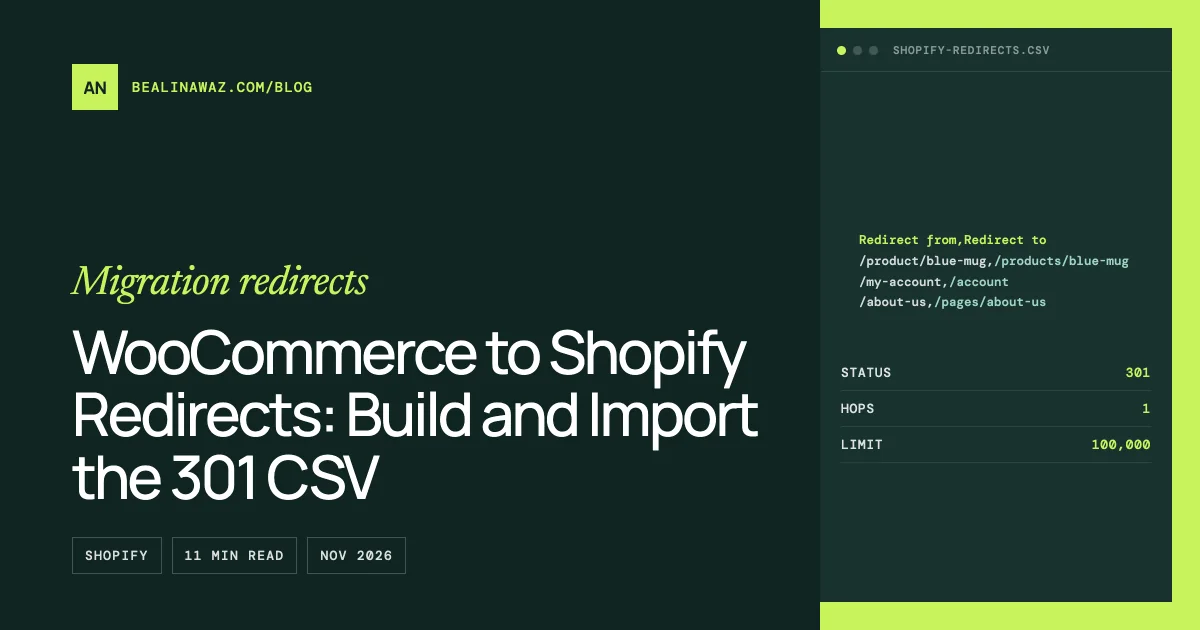
Shopify's import file has two columns, matching the two fields on the redirect form: Redirect from and Redirect to. Use paths that start with /, not full URLs, for the old address:
Redirect from,Redirect to
/product/blue-mug,/products/blue-mug
/product-category/mugs,/collections/mugs
/product-category/kitchen/mugs,/collections/mugs
/product-tag/gift,/collections/all/gift
/about-us,/pages/about-us
/2026/01/how-we-glaze,/blogs/news/how-we-glaze
/my-account,/account
If you'd rather not build this by hand, the migration redirect generator takes a pasted list of WooCommerce URLs (or your sitemap), applies the map above, skips reserved and system URLs with a reason for each, and gives you the Shopify CSV. It runs entirely in your browser, so your URL list isn't uploaded anywhere. Set your product base, category base and blog handle in its options first if your store doesn't use the defaults.
Before importing, sort the file and scan it. Check that product handles match what Shopify created during the product import, especially for products with non-English characters, symbols or very long names, because Shopify may have changed those handles.
Step 3: Import redirects into Shopify
- In your Shopify admin, go to Content → Menus, then open URL redirects.
- Click Import, choose your CSV file, and upload it.
- Shopify shows a summary of what it will create. Review it, then click Import redirects.
For large stores or repeated runs, Matrixify imports redirects from a spreadsheet tab named "Redirects" with Path and Target columns and a Command column that can create, update or delete rows. Its free demo plan handles only 10 redirects per job; the Basic plan ($20 per 30 days, checked 6 November 2026) handles 10,000.
Timing matters. Import the redirects before you connect your domain to Shopify, so they work the moment traffic arrives. Shopify's migration guide also recommends disconnecting the domain from the old host first to avoid SSL errors during the switch.
Step 4: Test your redirects
A redirect list with a few wrong rows is common. Finding them before Google does is the point of testing:
- Bulk check. Paste your old URLs into the free bulk redirect checker, 100 per run, with the old→new pairs if you have them. It follows each redirect hop by hop and flags 404s, 302s, chains, loops, wrong targets and redirects to the home page. Every old URL should give a 301 straight to a page that returns 200.
- Spot-check in a browser. Open your 10 most important old URLs from Search Console and your backlink list.
- Watch Search Console for a few weeks after launch. In the Page indexing report, "Not found (404)" lists old URLs you missed, and "Page with redirect" is normal for the old URLs.
Keep the CSV. If you change a product handle later, update the redirect so the chain stays one hop: old URL → current URL, never old → older → current.
Shopify redirects not working? Common causes
- The old URL still exists on Shopify. A page, product or collection at that path wins over the redirect. Delete or rename it, or redirect from a different path.
- The source starts with a blocked path, such as
/shop,/cartor/apps. These can't be redirected. - The URL has a query string. Test it; if it doesn't redirect, it won't.
- Your browser cached an older redirect. Shopify notes that 301s are cached by browsers and search engines. Test in a private window or with the bulk checker.
- A hidden collection was made visible again, which removes the redirect from its URL.
- The target is wrong, for example a product handle that changed during import. The redirect fires, but the visitor still ends on a 404.
Common mistakes
- Sending every old URL to the home page. Google treats mass home page redirects as soft 404s. Map each URL to its closest match.
- Using 302 redirects. Use 301s for a permanent move. Shopify's URL redirects are 301s by design.
- Importing redirects after the domain switch. Every hour between launch and import is an hour of 404s for real visitors and for Googlebot.
- Forgetting tags, blog categories and old category paths. Products and categories get done; the rest gets found in Search Console a month later.
- Leaving internal links on old URLs. Update menus, product descriptions, blog posts and email templates, so they don't depend on redirects at all.
- Deleting redirects too soon. Google's advice is at least a year. On Shopify, they cost nothing to keep.
Frequently asked questions
How many redirects can Shopify have?
Up to 100,000 URL redirects on standard plans and 20,000,000 on Shopify Plus, according to Shopify's help center.
Does Shopify support wildcard redirects?
Shopify's URL redirect tool has no wildcard or pattern option, so each old URL needs its own row. That's why the list is usually generated from a sitemap or URL export rather than typed by hand.
Why is my Shopify redirect not working?
Most often because the old URL still loads a page on Shopify; redirects only fire on broken URLs. Other causes are blocked paths such as /shop, query strings, a cached older redirect, or a wrong target.
Should I use 301 or 302 redirects when migrating?
- A migration is permanent, and Google treats permanent redirects as a strong signal that the new URL replaces the old one. A 302 says the move is temporary.
How long should I keep redirects after migrating?
Google recommends keeping them for at least a year. On Shopify there's no performance cost to keeping them longer, so most stores keep them for good.
Can I redirect WooCommerce URLs with query strings to Shopify?
Not reliably. Shopify says redirects from URLs with query strings might not work as expected, so plain permalinks such as /?product=111 may not redirect. Test them, and focus on the pretty URLs that Google and other sites actually use.
When to get help
Redirects are where a WooCommerce to Shopify move most often goes wrong without anyone noticing until traffic drops. For a small store, the generator, the checker and this guide are enough. For stores with thousands of products, nested categories, a /shop/ product base, multiple languages or years of blog posts, the mapping takes judgment as well as a script.
That's part of my WooCommerce to Shopify migration service: I build the URL inventory from your store, Search Console and backlinks, map and test every redirect, and check Search Console after launch. For the rest of the move, from products to customers, see the complete WooCommerce to Shopify migration guide and what it costs to migrate WooCommerce to Shopify.