Custom themes and blocks
Block themes and classic themes, with design values in theme.json and custom blocks registered from block.json files.
Technology expertise / Ali Nawaz
I have worked with WordPress since 2017, building sites, themes, and plugins from scratch. Most of my time goes below the admin screen, into hooks, the database, the REST API, and the code other plugins depend on. The 15 free plugins I publish are the public part of that work.
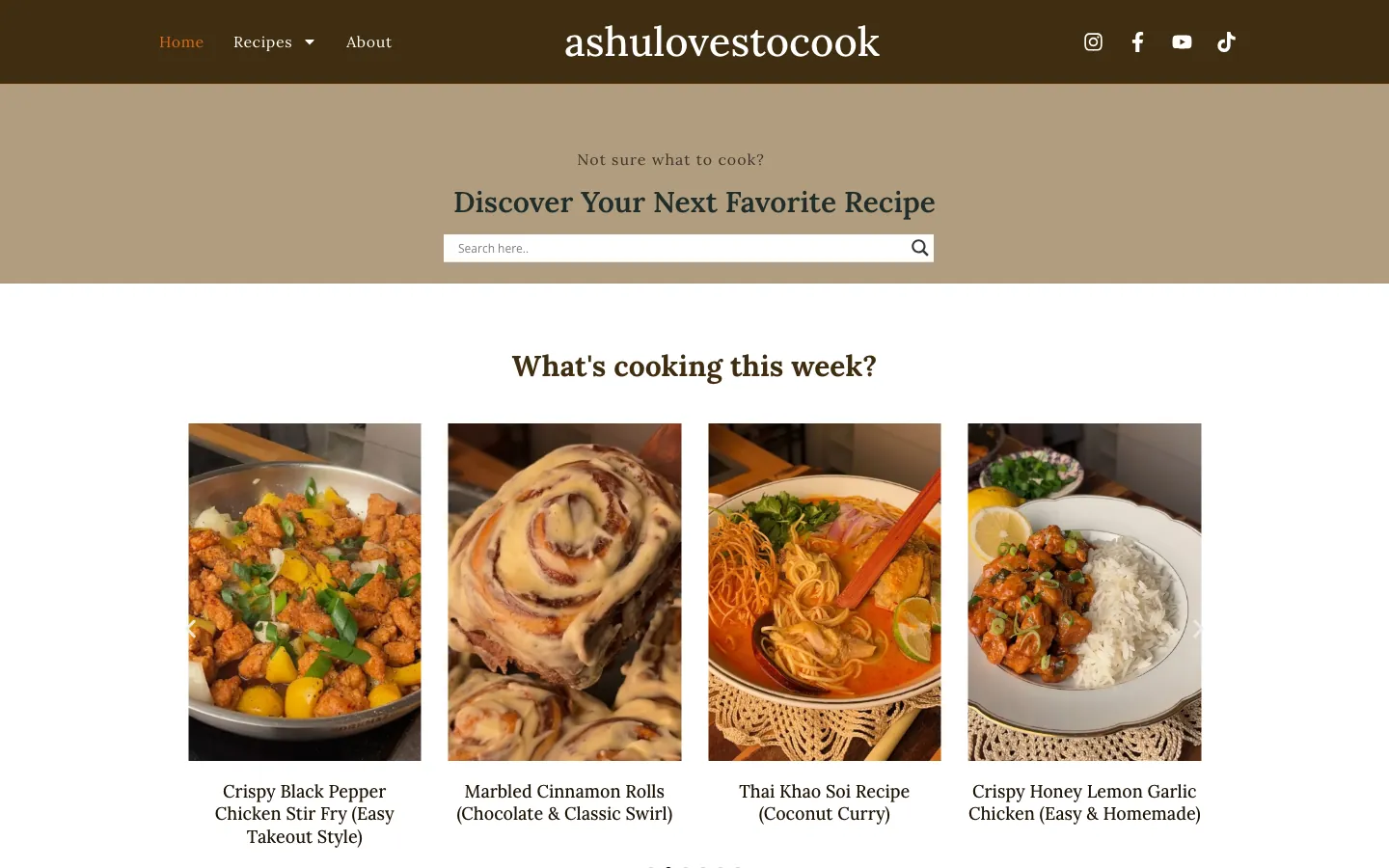 Enlarge screenshot: Recipe blog homepage
Recent project
Ashu Loves To Cook
WordPress + Elementor site
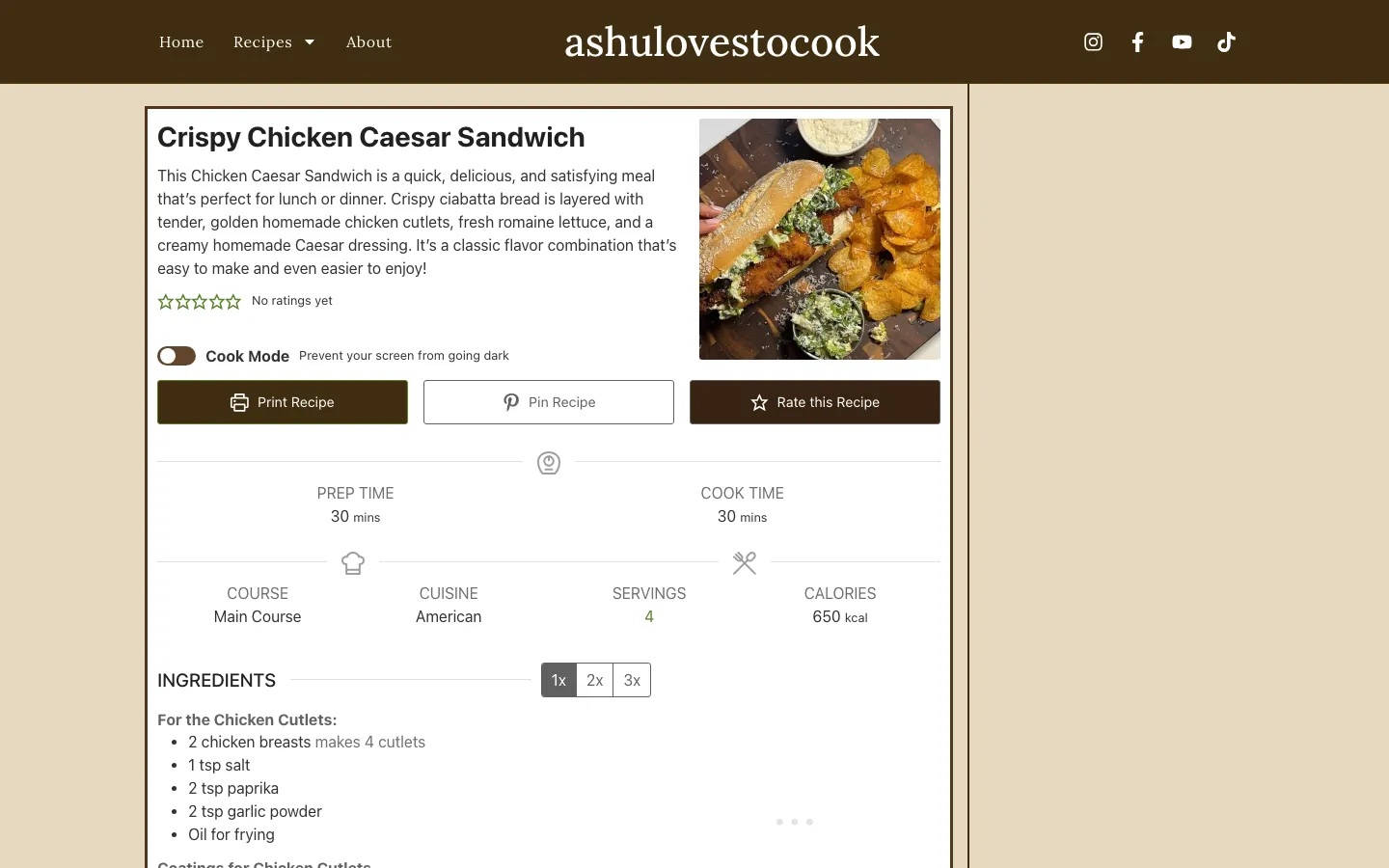
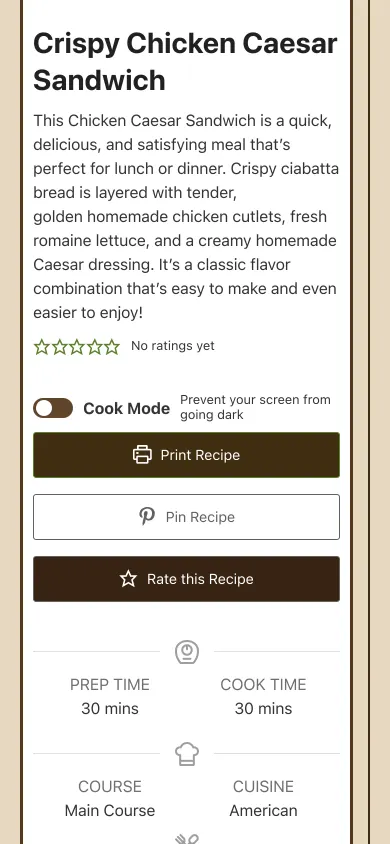
Recipe card with cook mode. Recipe cards with Recipe schema, print and star ratings, plus the custom cook mode switch that keeps the screen awake.
Read the case studyThe approach
I use WordPress when a business needs content its staff can edit, a mature plugin ecosystem, and hosting it can move anywhere. I write custom code only where the ecosystem doesn't fit, and I write it the way WordPress expects, so it keeps working through core updates.
You work directly with me from requirements through launch. That keeps product context close to technical decisions and avoids the gaps that appear when strategy, interface, backend, and deployment are treated as separate problems.
What I can build
The scope is shaped around your users, operating reality, and the smallest responsible path to value.
Block themes and classic themes, with design values in theme.json and custom blocks registered from block.json files.
Plugins with admin screens, custom post types, scheduled tasks, and REST API endpoints, written to WordPress coding standards.
Elementor sites where global styles and templates do most of the work, and custom widgets cover what the builder can't.
WordPress as a content source or form backend for other systems, as in my SubmitDock and WP to Firebase plugins.
Public code
Each plugin is free and open source. Together they cover a wide slice of the platform, from post types to the REST API.
| Plugin | What it works with |
|---|---|
| Custom Post Type Builder | Post types, taxonomies, and custom fields, with export as register_post_type code |
| Taxonomy Term Images | Term meta, the media library, a block, a shortcode, and the REST API |
| SubmitDock | Custom REST API endpoints, with submissions stored in the WordPress admin |
| WP to Firebase | Background batches and near-live sync of products, orders, and users |
| Off-Canvas Side Menu | Menu locations, a block, a shortcode, and an accessible front-end panel |
| WakeChef Cook Mode | WP Recipe Maker cards, a block, and the browser's Screen Wake Lock API |
When I choose it
WordPress is my default for content-led sites: service businesses, publishers, and stores that sell through WooCommerce and want full control of their data and hosting. Its editor is familiar to most staff, and almost every marketing tool has a WordPress integration.
I steer clients away from it in three cases. A store that wants hosting, checkout, and security handled for it is usually better off on Shopify. A product that is mostly logged-in software is easier to build as a React or Next.js app. And a one-page site that will never change doesn't need a CMS to keep updated. I build all of these, so the advice isn't tied to what I sell.
Habits
Features live in plugins, and design lives in the theme. Changes to someone else's plugin go through its hooks, never into its files, and parent themes stay untouched behind a child theme. Every query with user input is prepared, every form checks a nonce, and every action checks the user's capability. Sites are built on staging with Git, and moved with WP-CLI rather than by hand.
The other habit is restraint. Before adding a plugin, I check whether a setting already in WordPress, or a few lines of code, does the job. Fewer plugins mean fewer updates, fewer conflicts, and less code loaded on every page.
Staying current
WordPress changes in small steps every release, and some of those steps break older code. Recent examples: WordPress 6.8 moved password hashing to bcrypt, the WooCommerce Checkout block stopped running many classic checkout hooks, and High-Performance Order Storage became the default for new stores. I test my own plugins against changes like these, and client code gets the same testing.
Some of the free tools on this site came from that work. The WordPress Password Hash Generator creates both bcrypt hashes and the older phpass format, and the WordPress Theme & Plugin Detector shows which theme and plugins any site runs, which is often where my audits begin.
Hiring
This page is about how I work with the platform. To hire me for a WordPress build, a fix, or a plugin, the WordPress Development service page covers scope, the fixed quote, and support after launch. I'm one developer, so you talk to the person writing the code from the first message onward.
What the work should create
Pricing
How pricing works
Proof of work
All 15 are free and open source, so you can read the code before you hire me. See every plugin.
Client feedback
Reviews from clients I have worked with remotely, quoted as they wrote them.
The process
You get a senior engineering partner—not a black box. The process stays direct, collaborative, and focused on outcomes.
Clarify the problem, users, constraints, and measure of success.
Shape the right product, technical plan, and delivery path.
Create in focused iterations with quality visible at every step.
Test, deploy, measure, and improve with confidence.
Common questions
Since 2017, building themes, plugins, and complete sites, mostly for clients in the US and UK.
Both. I build custom blocks and block themes when editors need structure, and use Elementor when a team wants to design pages visually. The choice depends on who edits the site.
Yes. I start by reading the theme, the plugins, and the database, then fix or extend what's there. I don't recommend a rewrite unless the code can't be maintained.
For a store that wants a fully hosted platform, I suggest Shopify. For a product that is mostly logged-in software, a React or Next.js app is usually simpler. I'll say which fits before quoting.
Yes. My 15 free plugins are open source, with code on WordPress.org or GitHub that you can install and read.
Send the requirements through the contact form, by email, or on WhatsApp. Email and form messages get a reply within 24 hours, and the WordPress Development page explains pricing, payment, and support.
Start a conversation
Tell me what you’re building, where you are in the process, and what success looks like. I’ll get back to you with a clear next step within 24 hours.
ali@bealinawaz.com