Responsive Elementor websites
Pages built with containers and Flexbox or Grid layouts, then checked at every breakpoint the design uses, including custom ones for tablets in landscape.
Engineering service / Ali Nawaz
I build new business websites in Elementor from your design, on a lean base theme, with global colors and fonts, container layouts, and Theme Builder templates set up before the first page is made. Your team gets a site they can edit visually, and it doesn't look like a template kit.
 Enlarge screenshot: Recipe blog homepage
Recent project
Ashu Loves To Cook
WordPress + Elementor site
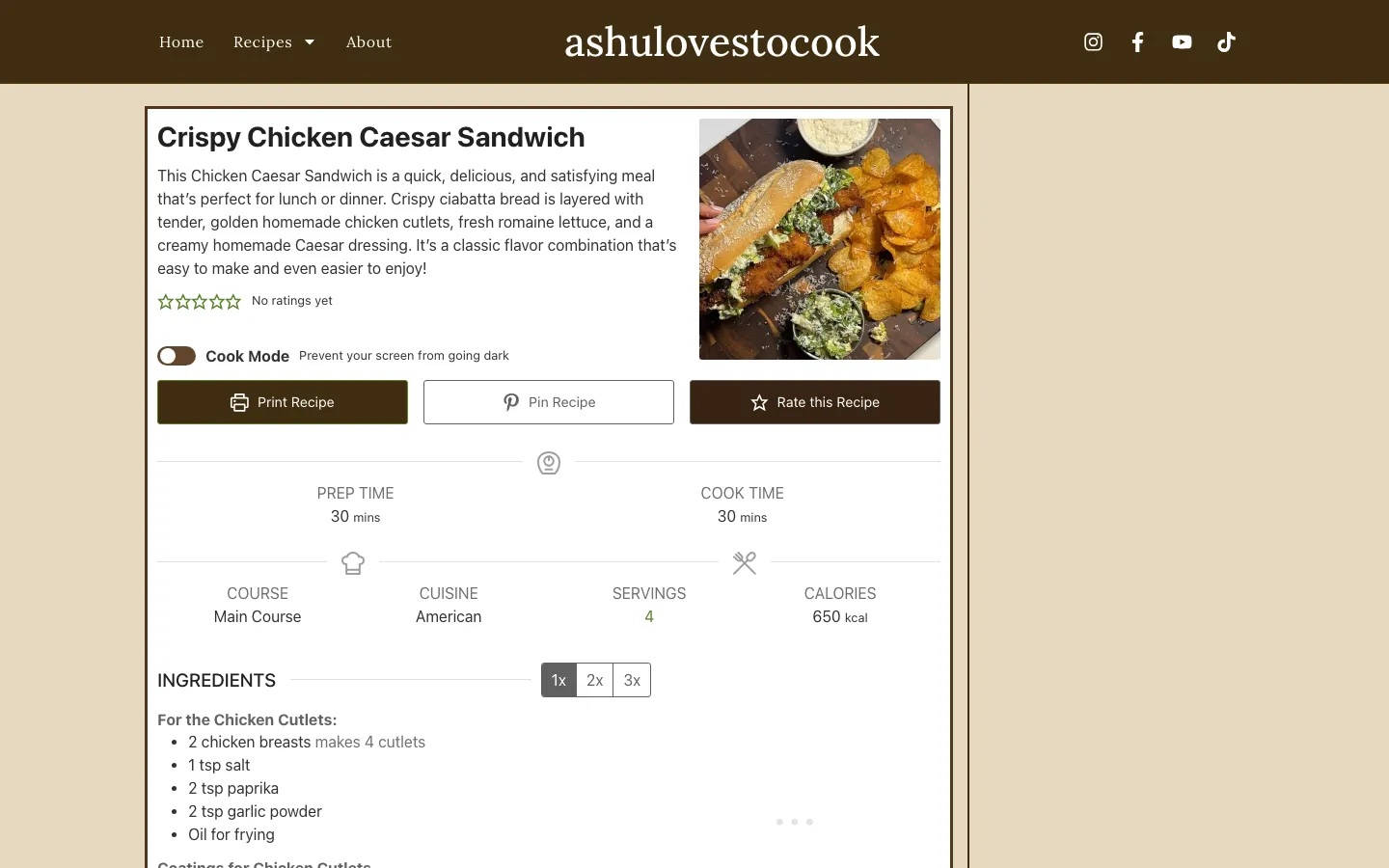
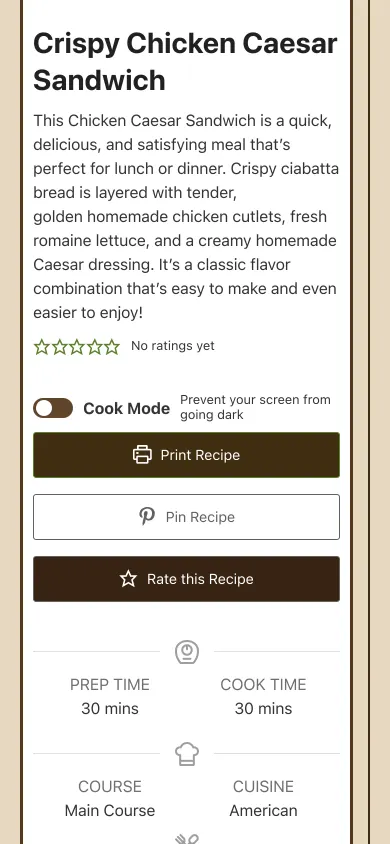
Recipe card with cook mode. Recipe cards with Recipe schema, print and star ratings, plus the custom cook mode switch that keeps the screen awake.
Read the case studyThe approach
Elementor gives editors freedom, and freedom without rules is how a site drifts off-brand within a year. I decide early which parts editors control, which parts are locked in templates, and which features are better as a few lines of code than as another add-on.
You work directly with me from requirements through launch. That keeps product context close to technical decisions and avoids the gaps that appear when strategy, interface, backend, and deployment are treated as separate problems.
What I can build
The scope is shaped around your users, operating reality, and the smallest responsible path to value.
Pages built with containers and Flexbox or Grid layouts, then checked at every breakpoint the design uses, including custom ones for tablets in landscape.
Theme Builder templates for headers, footers, posts, archives, and custom post types, with loop queries that pull the right content automatically.
Elementor forms connected to your CRM, email platform, or a webhook, with spam protection and a thank-you step you can track in analytics.
Global colors, fonts, and saved templates that keep every page on-brand, plus custom widgets when the built-in ones can't produce the design.
Site structure
Most of a well-built Elementor site comes from a handful of templates. Individual pages only carry what is unique to them.
| Part of the site | How I build it |
|---|---|
| Header and footer | Theme Builder templates with display conditions, with menus managed in WordPress |
| Service and landing pages | Container layouts using global colors and fonts, saved as templates editors can copy |
| Blog posts and archives | Single and archive templates, so every new post is styled automatically |
| Listings or case studies | A custom post type with fields, displayed through a Loop Grid template |
| Contact and lead forms | Elementor forms sent to email and your CRM, with spam protection |
| Anything the widgets can't do | A custom widget in a small plugin, with its own controls in the panel |
Build order
Most Elementor sites go wrong in the first week, when pages are built before the rules exist. I start in Site Settings: global colors and fonts taken from the design, button and form styles, layout widths, and breakpoints. Next come the Theme Builder templates for the header, footer, single posts, and archives. Only then do I build pages, and each one uses the globals instead of colors and sizes typed into individual widgets.
That order pays off later. When you change your brand blue or heading font, you change it once in Site Settings and the whole site follows. On sites built the other way round, the same change means opening hundreds of widgets one by one.
Elementor or code
Elementor is good at layouts editors want to change: landing pages, service pages, and promotions. It is less suited to logic. A pricing calculator, a filtered directory, or a multi-step booking flow I write as a small plugin or custom widget, so the logic is tested and versioned instead of spread across HTML widgets.
I also choose the base theme. For most builds that's Hello Elementor, a minimal theme made to sit under Elementor, because a feature-heavy theme underneath adds styles that fight the design. Add-on packs are a last resort. One custom widget is lighter than a pack of dozens installed for the sake of one.
Free or Pro
Free Elementor builds page layouts. Most business sites I build need Pro, because header and footer templates, blog templates, forms, and dynamic content are Pro features. If your site is a handful of static pages with a form embedded from your CRM, free Elementor can be enough, and I'll build it that way. The license is always bought in your name, and my Elementor Expert page compares the plans in more detail.
Handover
Before launch, I walk your team through the site on a short call or a recording: how to add a page from a saved template, where the global styles live, and which templates to leave alone. Editor access can be limited, so a content writer can change text without touching layouts.
You review the whole site on staging before it goes live. The fixed quote is paid 50% at the start and 50% on that final delivery, and the first 15 days after launch include free support for fixes and questions. If you already have an Elementor site and aren't sure whether to rebuild it, the first audit is free.
What the work should create
Pricing
How pricing works
Proof of work
All 15 are free and open source, so you can read the code before you hire me. See every plugin.
Client feedback
Reviews from clients I have worked with remotely, quoted as they wrote them.
The process
You get a senior engineering partner—not a black box. The process stays direct, collaborative, and focused on outcomes.
Clarify the problem, users, constraints, and measure of success.
Shape the right product, technical plan, and delivery path.
Create in focused iterations with quality visible at every step.
Test, deploy, measure, and improve with confidence.
Common questions
Yes, with disciplined templates, global styles, dynamic data, and custom extensions. I decide case by case what belongs in Elementor and what should be coded.
It depends on the number of unique page layouts, templates, forms, and any custom widgets. I send a fixed quote in US dollars after seeing the design and the page list.
Yes. I set up the design's colors, fonts, and spacing as Elementor globals first, then build each page with containers so it matches the design at every breakpoint.
This service is for building a new Elementor website. Elementor Expert covers problems on existing sites, such as editor errors, slow pages, plugin conflicts, and Elementor 4 upgrades.
Yes. I rebuild the pages on WordPress with Elementor, move the content, and redirect the old URLs so search rankings carry over. I don't build on Wix or Squarespace themselves.
Yes. Pages are made from global styles and saved templates, and I show your editors how to add pages and change content without breaking the layout.
Yes. I can reduce unnecessary widgets and assets, improve media delivery, address layout shifts, and simplify the plugin stack.
Start a conversation
Tell me what you’re building, where you are in the process, and what success looks like. I’ll get back to you with a clear next step within 24 hours.
ali@bealinawaz.com