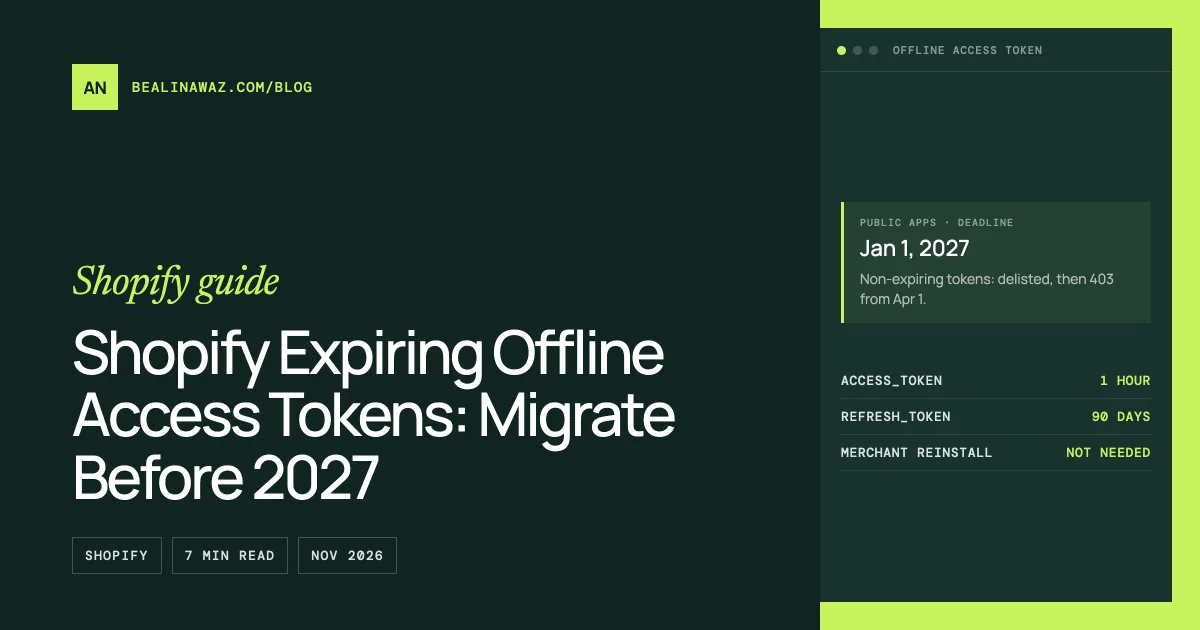
Every public Shopify app must use expiring offline access tokens for Admin API requests by January 1, 2027. On that day, apps still on non-expiring tokens are delisted from the Shopify App Store and blocked from new installs. From April 1, 2027, their Admin API requests return HTTP 403. Custom apps and apps a merchant creates for their own store are excluded. Migrating doesn't need merchants to reinstall: your backend exchanges each stored token for an expiring one with a single request, then refreshes it every hour.
Below are the dates, both requests exactly as shopify.dev documents them, and a small Node.js module that migrates a shop and keeps its token fresh. I tested it against a stub of the token endpoint that behaves as documented (rotating refresh tokens, invalid_grant errors).
The deadlines
From Shopify's changelog (May 20, 2026 and October 27, 2026):
| Date | What happens |
|---|---|
| April 1, 2026 | Public apps created from this date must use expiring offline tokens |
| January 1, 2027 | All public apps must. Non-compliant apps are delisted from the App Store and blocked from new installs; existing installs keep working for now |
| January 15, 2027 | Merchants using a non-compliant app see warnings in their Shopify admin |
| April 1, 2027 | Admin API requests with non-expiring offline tokens return HTTP 403 |
Who's affected: public apps that call the Admin API with an offline token. Not affected: custom apps and apps merchants create in the Dev Dashboard or Shopify admin for their own store. Those have their own changes, covered in Shopify Admin API access token in 2026.
What changes: the token pair
A non-expiring offline token was one shpat_ string that worked forever. An expiring offline token comes as a pair:
| Field | Value | Meaning |
|---|---|---|
access_token |
shpat_… |
Used for API calls, as before |
expires_in |
3600 |
Seconds until the access token expires (1 hour) |
refresh_token |
shprt_… |
Used to get a new pair |
refresh_token_expires_in |
7776000 |
Seconds until the refresh token expires (90 days) |
Every refresh returns a new refresh token. Store it, and use the newest one next time. Shopify keeps the previous refresh token usable only until the replacement is first used (August 28, 2026 changelog). That fallback is for recovering from a lost response, not for routine use.
Step 1: get expiring tokens for new installs
When a shop installs or reauthorizes your app, request an expiring token by adding expiring=1 to the token request.
If your app is built on the Shopify app template (React Router or Remix), turn on the future flag in shopify.server.ts. In @shopify/shopify-app-react-router 3.0.2 it defaults to false:
const shopify = shopifyApp({
  // ...
  future: {
    expiringOfflineAccessTokens: true,
  },
});
With the flag on, the library stores the refresh token and refreshes the access token when it's close to expiring. If you wrote your own OAuth code, add expiring=1 to the authorization code or token exchange request for the offline token.
Step 2: migrate the shops that are already installed
For each stored non-expiring token, make one token exchange request. This is the request from Shopify's migration guide:
curl -X POST "https://{shop}.myshopify.com/admin/oauth/access_token" \
  -H "Content-Type: application/x-www-form-urlencoded" \
  -d "grant_type=urn:ietf:params:oauth:grant-type:token-exchange" \
  -d "client_id={client_id}" \
  -d "client_secret={client_secret}" \
  -d "subject_token={non_expiring_offline_token}" \
  -d "subject_token_type=urn:shopify:params:oauth:token-type:offline-access-token" \
  -d "requested_token_type=urn:shopify:params:oauth:token-type:offline-access-token" \
  -d "expiring=1"
Both requested_token_type and expiring=1 are required. Save the returned pair and discard the old token. If your app crashes before saving the response, Shopify lets you retry the exchange with the original token within seven days, until the new pair has been refreshed.
Step 3: refresh before the hour is up
curl -X POST "https://{shop}.myshopify.com/admin/oauth/access_token" \
  -H "Content-Type: application/x-www-form-urlencoded" \
  -H "Accept: application/json" \
  -d "client_id={client_id}" \
  -d "client_secret={client_secret}" \
  -d "grant_type=refresh_token" \
  -d "refresh_token={refresh_token}"
The response has the same four fields plus scope. Shopify's authorization code guide shows this request.
Refresh a few minutes before expires_in runs out, and also when an API call returns 401. Shopify's advice is to run only one refresh at a time per shop and to save each new pair in a single write. Two refreshes racing for the same shop can leave you holding a retired refresh token.
A Node.js module that does all three
shopify-tokens.mjs (Node 18+, no dependencies). store is your database with two methods, get(shop) and set(shop, record):
// shopify-tokens.mjs — expiring offline access tokens for a Shopify public app (Node 18+).
const REFRESH_MARGIN_MS = 5 * 60 * 1000; // refresh 5 minutes before the access token expires

async function tokenRequest(shop, params) {
  const response = await fetch(`https://${shop}/admin/oauth/access_token`, {
    method: "POST",
    headers: { "Content-Type": "application/x-www-form-urlencoded", Accept: "application/json" },
    body: new URLSearchParams({
      client_id: process.env.SHOPIFY_API_KEY,
      client_secret: process.env.SHOPIFY_API_SECRET,
      ...params,
    }),
  });
  const body = await response.json().catch(() => ({}));
  if (!response.ok) {
    throw Object.assign(new Error(body.error_description || body.error || `HTTP ${response.status}`), {
      status: response.status,
      code: body.error,
    });
  }
  return body;
}

const toRecord = (token, now = Date.now()) => ({
  accessToken: token.access_token,
  refreshToken: token.refresh_token,
  expiresAt: now + token.expires_in * 1000,
  refreshExpiresAt: now + token.refresh_token_expires_in * 1000,
  scope: token.scope,
});

/** One-time migration: exchange the stored non-expiring token for an expiring pair. */
export async function migrateShop(shop, store) {
  const current = await store.get(shop);
  const token = await tokenRequest(shop, {
    grant_type: "urn:ietf:params:oauth:grant-type:token-exchange",
    subject_token: current.accessToken,
    subject_token_type: "urn:shopify:params:oauth:token-type:offline-access-token",
    requested_token_type: "urn:shopify:params:oauth:token-type:offline-access-token",
    expiring: "1",
  });
  await store.set(shop, toRecord(token)); // one write replaces the old token
}

const refreshing = new Map(); // shop -> pending refresh, so a shop never refreshes twice at once

/** Returns a valid access token, refreshing it first when it's about to expire. */
export async function getAccessToken(shop, store) {
  const record = await store.get(shop);
  if (record.expiresAt - Date.now() > REFRESH_MARGIN_MS) return record.accessToken;

  if (!refreshing.has(shop)) {
    refreshing.set(
      shop,
      (async () => {
        try {
          const latest = await store.get(shop); // another request may have refreshed already
          if (latest.expiresAt - Date.now() > REFRESH_MARGIN_MS) return latest.accessToken;
          const token = await tokenRequest(shop, { grant_type: "refresh_token", refresh_token: latest.refreshToken });
          await store.set(shop, toRecord(token)); // save the new pair before using it
          return token.access_token;
        } finally {
          refreshing.delete(shop);
        }
      })(),
    );
  }
  return refreshing.get(shop);
}
Use it like this:
import { migrateShop, getAccessToken } from "./shopify-tokens.mjs";

// Once per installed shop (for example in a migration script):
await migrateShop("demo.myshopify.com", store);

// Before every Admin API call:
const token = await getAccessToken("demo.myshopify.com", store);
await fetch("https://demo.myshopify.com/admin/api/2026-10/graphql.json", {
  method: "POST",
  headers: { "Content-Type": "application/json", "X-Shopify-Access-Token": token },
  body: JSON.stringify({ query: "{ shop { name } }" }),
});
What I checked against the stub endpoint (it rotates refresh tokens and rejects a retired one with invalid_grant, as documented):
- The migration sends exactly the parameters above, including
expiring=1, and stores the new pair. - A token with more than 5 minutes left is returned without any request.
- 10 parallel calls for a token with 1 minute left made one refresh request, and all 10 got the same new token.
- An expired token is refreshed with the newest refresh token.
- A rejected refresh comes back as an error with
code: "invalid_grant".
One server or many? The refreshing map serializes refreshes inside one Node process. If several servers or workers share the same shops, take a lock per shop in your database (for example SELECT … FOR UPDATE on the shop's row) around the refresh instead.
Common mistakes
- Using the access token as
subject_tokento refresh. Refreshing usesgrant_type=refresh_tokenand therefresh_token.subject_tokenis only for token exchange. - Keeping the old refresh token. Always save the pair from the latest response. Refreshing with an older one fails with
invalid_grantonce its replacement has been used. - Refreshing in parallel. Two refreshes for the same shop at the same time can leave you holding a retired token. Serialize per shop.
- Saving the access token and refresh token in two writes. If the second write fails, they no longer match. Save both together.
- Restoring an old database backup. It can bring back refresh tokens that were already rotated. Back up token storage often, and plan for asking affected merchants to open the app again.
FAQ
When do Shopify offline access tokens have to expire?
Public apps created from April 1, 2026 must already use expiring offline tokens. All other public apps must switch by January 1, 2027, when non-compliant apps are delisted and blocked from new installs. From April 1, 2027, Admin API requests with non-expiring offline tokens return HTTP 403.
Do custom apps need expiring offline tokens?
No. Shopify excludes custom apps and apps that merchants create in the Dev Dashboard or the Shopify admin. The rule applies to public apps.
Do merchants have to reinstall my app?
No. Your backend exchanges each stored non-expiring token for an expiring pair with one token exchange request.
How long do expiring offline tokens last?
The access token lasts 1 hour (expires_in is 3600). The refresh token lasts 90 days (refresh_token_expires_in is 7776000), and each refresh issues a new one.
What happens if a refresh token expires?
The refresh request fails with invalid_grant, and the app needs a new token through the normal authorization flow. That usually happens when the merchant opens the app again. Refresh regularly so active shops never reach the 90-day limit.
When to get help
If your public app stores its own tokens, runs several workers, or uses an older library, I can migrate it and test the refresh path end to end. See Shopify app development. Related: Shopify legacy custom apps deprecated and the Admin API access token in 2026.