Branded widget collections
A set of widgets that share your brand's styles, controls, and code, packaged as one plugin your team installs on each site.
Engineering service / Ali Nawaz
I develop Elementor addons when a team needs a cohesive set of components rather than one-off page code. Addons can package branded widgets, controls, data sources, and integrations into an editor-friendly product, installed as a normal WordPress plugin on one site or across many.
 Enlarge screenshot: Recipe blog homepage
Recent project
Ashu Loves To Cook
WordPress + Elementor site
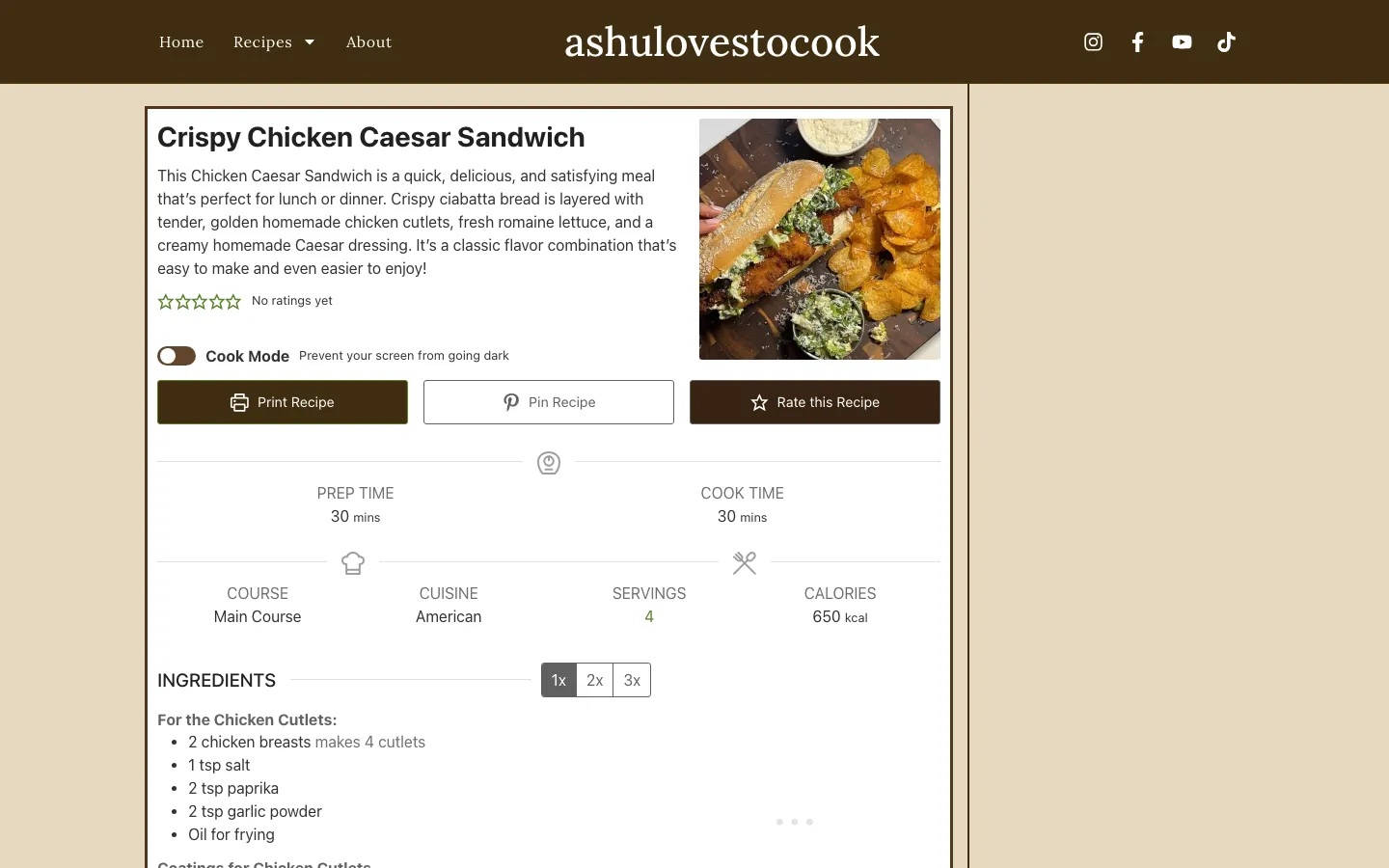
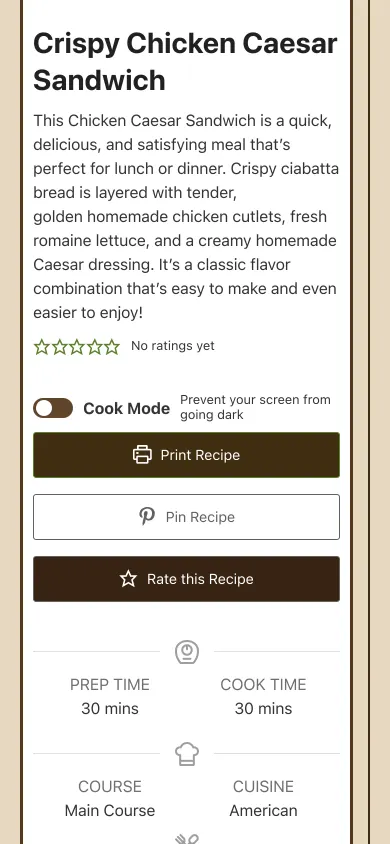
Recipe card with cook mode. Recipe cards with Recipe schema, print and star ratings, plus the custom cook mode switch that keeps the screen awake.
Read the case studyThe approach
A good addon behaves like part of Elementor: clear controls, responsive settings, predictable rendering, careful asset loading, and compatibility with the surrounding WordPress system.
You work directly with me from requirements through launch. That keeps product context close to technical decisions and avoids the gaps that appear when strategy, interface, backend, and deployment are treated as separate problems.
What I can build
The scope is shaped around your users, operating reality, and the smallest responsible path to value.
A set of widgets that share your brand's styles, controls, and code, packaged as one plugin your team installs on each site.
One widget for one job the built-in widgets can't do, such as a pricing table with your rules, a comparison tool, or a live search box.
Widgets that fetch data from an API or from custom post types, cache the response, and display it with controls for layout and style.
A shared component library for agencies, versioned in Git and updated across client sites from one place.
Anatomy
Every addon I build has the same parts, which keeps them easy to read and easy to hand to another developer.
| Part | What it does |
|---|---|
| Main plugin file | Checks that Elementor is active and recent enough, then loads the widgets |
| Widget classes | One PHP class per widget, with its name, icon, category, controls, and render method |
| Widget category | Groups your widgets under your brand name in the Elementor panel |
| Assets | CSS and JavaScript registered per widget and loaded only on pages that use it |
| Data layer | API calls, caching, and custom queries kept apart from the widget's markup |
| Docs and changelog | Setup notes, widget descriptions, and a version history for updates |
Under the hood
An Elementor addon is a regular WordPress plugin. Each widget is a PHP class that extends Elementor's widget base, defines its controls for the editor panel, and renders the HTML. The plugin registers its widgets on the elementor/widgets/register hook and checks that Elementor is active first, so the site doesn't break if Elementor is ever deactivated.
Because the addon is a plugin, it doesn't depend on the theme. You can change themes, and the widgets, along with the content built with them, stay in place.
Controls
The editor panel is the addon's user interface, and a widget with sixty controls is as hard to use as a form with sixty fields. I group controls into Content and Style tabs, give every control a sensible default, and offer only the choices your design allows, instead of a free color picker on every element. Where the site has global colors and fonts, the widget uses them by default.
Responsive controls go only where layouts really differ by device, such as columns or spacing. That keeps the panel short and the output consistent from page to page.
Performance
A common problem with add-on packs is CSS and JavaScript for every widget loading on every page. Elementor lets each widget declare its own script and style dependencies and enqueues them only when that widget appears on the page. I register every asset that way, avoid jQuery where I can, and cache API responses on the server so a widget doesn't call an outside service on every page view.
My free AJAX Search for Elementor plugin follows these rules, and its code is public on GitHub, so you can see how I structure an addon before hiring me. My tutorial on building a custom Elementor widget walks through the same structure step by step.
Distribution
A private addon for one site is the simplest case. An agency library used across many client sites needs version numbers, a changelog, and an update path, either from a private Git repository or a self-hosted update server. A public addon on WordPress.org must follow the directory's rules, including GPL licensing and no tracking without consent, and a paid addon also needs licensing and support planning.
Each case is quoted differently, because the work around the code grows with the audience. Payment is 50% to start and 50% after you test the widgets on staging, with 15 days of free support after release.
What the work should create
Pricing
How pricing works
Proof of work
All 15 are free and open source, so you can read the code before you hire me. See every plugin.
Client feedback
Reviews from clients I have worked with remotely, quoted as they wrote them.
The process
You get a senior engineering partner—not a black box. The process stays direct, collaborative, and focused on outcomes.
Clarify the problem, users, constraints, and measure of success.
Shape the right product, technical plan, and delivery path.
Create in focused iterations with quality visible at every step.
Test, deploy, measure, and improve with confidence.
Common questions
Yes. An addon usually packages multiple related widgets or capabilities with shared foundations, settings, and release management.
Yes. Scope can include extensible architecture, licensing or API connections, onboarding, documentation, and update planning.
Yes. A custom widget can retrieve, cache, and render external data while exposing appropriate presentation controls.
Yes. Controls are designed for the people who will manage the content, with sensible defaults and responsive options.
A single widget costs far less than a collection with shared settings and an update system. You get a fixed quote in US dollars once the widgets and their controls are listed.
Yes. Custom widgets use Elementor's widget API, which is part of the free plugin. If a feature you want depends on Elementor Pro, I point that out in the spec before the quote.
Yes, if the code is yours to change. For third-party add-ons, I prefer a small companion plugin over editing their files, so their updates don't wipe the changes.
Start a conversation
Tell me what you’re building, where you are in the process, and what success looks like. I’ll get back to you with a clear next step within 24 hours.
ali@bealinawaz.com