Complex Elementor websites
Multi-template sites where Theme Builder handles headers, footers, and content types, so most pages come from templates rather than hand-built layouts.
Technology expertise / Ali Nawaz
I build and repair Elementor sites, and I write code for Elementor too: custom widgets, a free live search widget, and a public tutorial on building widgets. That mix matters, because the hardest Elementor problems sit where the builder meets the WordPress code underneath it.
 Enlarge screenshot: Recipe blog homepage

Recent project
Ashu Loves To Cook
WordPress + Elementor site
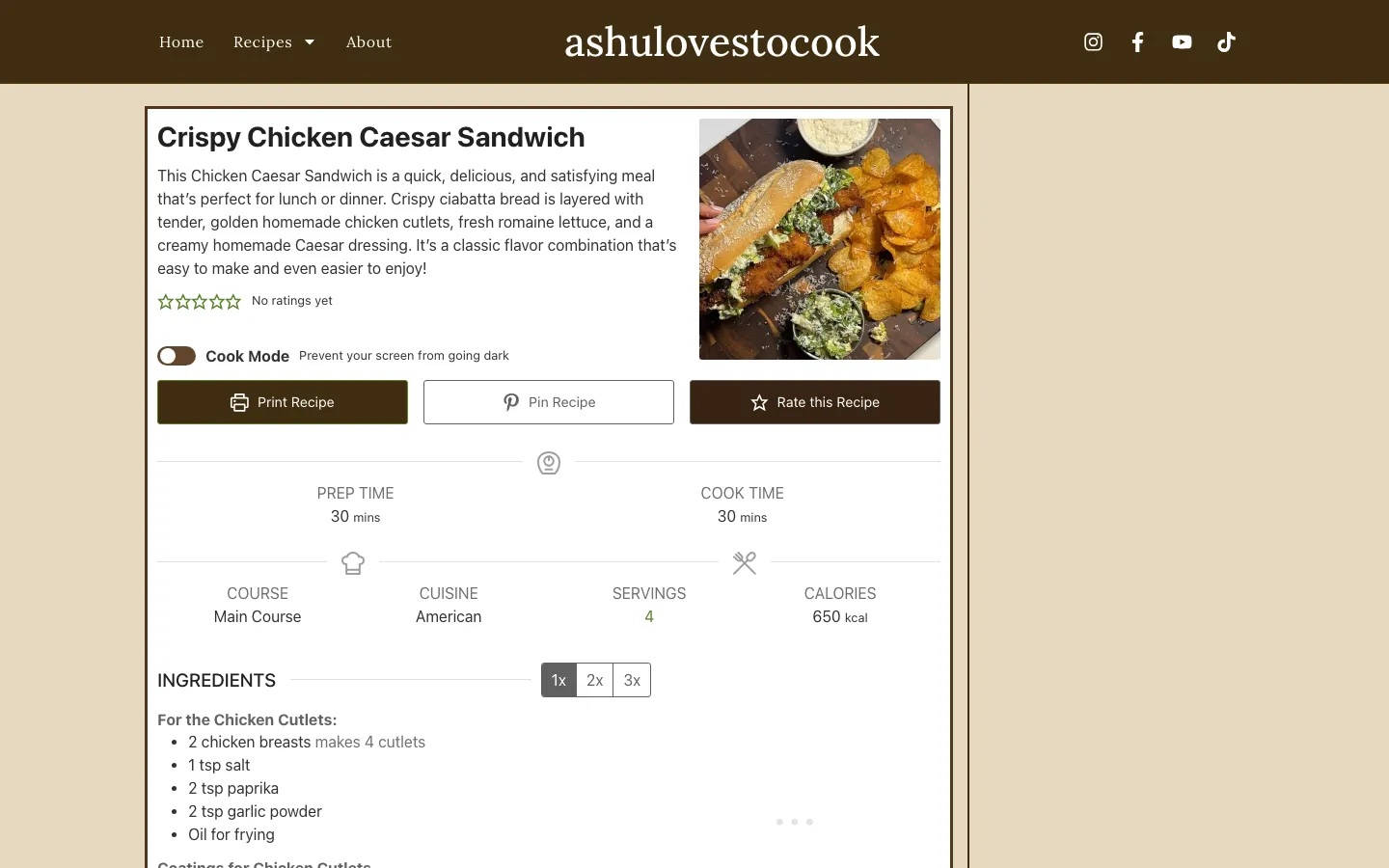
Recipe card with cook mode. Recipe cards with Recipe schema, print and star ratings, plus the custom cook mode switch that keeps the screen awake.
Read the case studyThe approach
The strongest Elementor builds use global rules, purposeful templates, dynamic content, and custom extensions instead of accumulating independent widgets.
You work directly with me from requirements through launch. That keeps product context close to technical decisions and avoids the gaps that appear when strategy, interface, backend, and deployment are treated as separate problems.
What I can build
The scope is shaped around your users, operating reality, and the smallest responsible path to value.
Multi-template sites where Theme Builder handles headers, footers, and content types, so most pages come from templates rather than hand-built layouts.
Loop templates and queries that pull posts, products, or custom post types, filtered and ordered by custom fields.
Widgets written in PHP and JavaScript as small plugins, from a single custom component to a branded set.
Layouts that adapt across Elementor's breakpoints with containers, Flexbox, and Grid, instead of hidden duplicate sections for mobile.
Choosing the tool
Elementor isn't always the answer, even on an Elementor site. This is how I usually decide.
| Situation | What I'd use |
|---|---|
| A marketing team builds campaign pages every week | Elementor with global styles and saved templates |
| Strict page structure, editors change text only | A block theme with custom blocks |
| A layout the built-in widgets can't produce | A custom widget in a small plugin |
| An existing Elementor site that loads slowly | Containers, Elementor's performance settings, and a plugin review |
| Logic such as calculators or filters | Custom code exposed as a widget |
| Many sites sharing one component set | A versioned Elementor addon |
When I'd use it
I recommend Elementor when the people running the site want to design pages themselves, launch campaign pages often, and would rather not wait on a developer for layout changes. It's also sensible when a team already knows it well, because retraining staff has a real cost.
I suggest the block editor instead when pages follow a strict structure and editors should only change the words, as on a publication or documentation site. A block theme with custom blocks gives them less to break and loads less code. I'm comfortable in both, so the choice follows the editors rather than my habits.
Pitfalls
Colors and fonts typed into individual widgets instead of globals. Mobile layouts made by hiding a desktop section and showing a duplicate. Containers nested five levels deep where one Grid would do. Several add-on packs installed for one widget each. Each of these makes a site heavier and harder to change, and I find all of them in audits.
The fixes are unglamorous and they work: globals set before the first page, responsive settings on the same element, flat container structures, and one custom widget instead of a pack. On inherited sites, I clean these up template by template rather than rebuilding everything at once.
Code underneath
Many Elementor problems aren't really Elementor problems. An editor that won't load is often a PHP memory limit or a plugin conflict. A template showing on the wrong page is a display condition. A slow page is often an add-on loading assets everywhere. Reading the PHP error log and the browser console finds these faster than toggling settings, and my guide to fixing Elementor not loading or saving grew out of those cases.
When I write widgets, I follow Elementor's developer API: one class per widget, controls grouped for editors, and assets declared as widget dependencies so they load only where the widget is used. AJAX Search for Elementor, my free live search widget for posts, pages, and WooCommerce products, is built that way and works with page caching.
Hiring
For a new Elementor website built from your design, see Elementor Development. For editor errors, speed, conflicts, or an Elementor 4 move on an existing site, see Elementor Expert. For a set of reusable widgets, see Elementor Addon Development. Each starts with a fixed quote in US dollars.
What the work should create
Pricing
How pricing works
Proof of work
All 15 are free and open source, so you can read the code before you hire me. See every plugin.
Client feedback
Reviews from clients I have worked with remotely, quoted as they wrote them.
The process
You get a senior engineering partner—not a black box. The process stays direct, collaborative, and focused on outcomes.
Clarify the problem, users, constraints, and measure of success.
Shape the right product, technical plan, and delivery path.
Create in focused iterations with quality visible at every step.
Test, deploy, measure, and improve with confidence.
Common questions
I build new Elementor sites, fix broken ones, and write custom widgets and add-ons. My AJAX Search for Elementor plugin and my widget tutorial are public examples of the code side.
When the site needs it. Theme Builder templates, forms, and dynamic content are Pro features, and most business sites use at least one of them. The license is bought in the client's name.
It adds weight compared with a hand-coded theme, but a carefully built Elementor site can still be fast. Most slow Elementor sites suffer from add-on packs, deep nesting, and oversized images, all of which can be fixed.
Yes. I review the templates, globals, and plugins first, then make changes without disturbing pages that already work.
Only if your editors would be better served by it. Switching means rebuilding pages, so I compare that cost with fixing the current Elementor site first.
Yes. Elementor's Editor V4 adds Atomic elements with classes and variables. Existing sites keep working without it, and I move a site over only after testing on staging.
Start a conversation
Tell me what you’re building, where you are in the process, and what success looks like. I’ll get back to you with a clear next step within 24 hours.
ali@bealinawaz.com