Updates
WordPress core, plugins and themes, updated with a backup taken first and a visual check of key pages afterwards.
Engineering service / Ali Nawaz
WordPress maintenance services for sites and stores that already exist, from $100 a month, month to month. Each month I back up your site, update WordPress, plugins and themes, check that pages and checkout still work, and send you a short report. The person doing the work is a plugin developer, not a ticket queue. I reply within 24 hours.
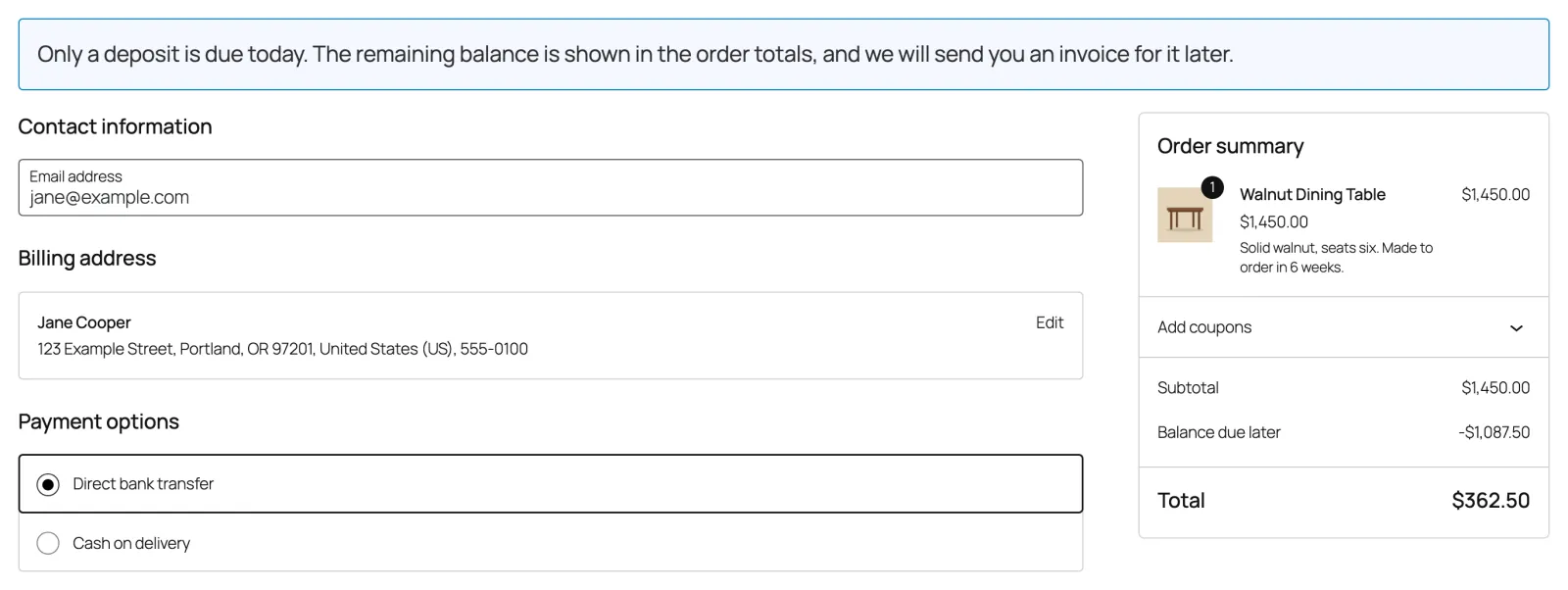 Enlarge screenshot: Pay a deposit at checkout
Recent project
Halfway Pro
My own WooCommerce plugin
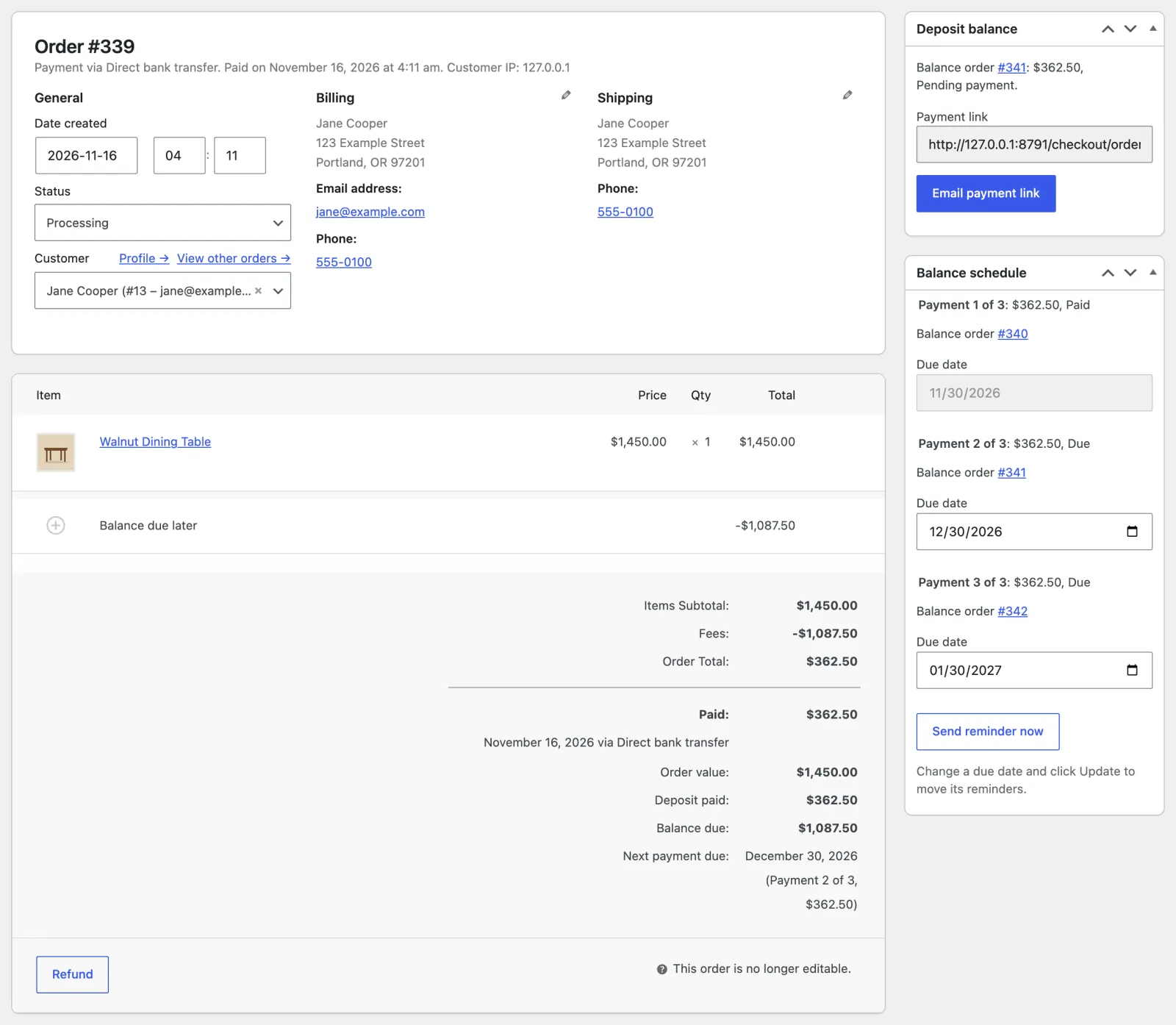
Balance schedule on the order. See and change every instalment date from the order screen, and send a reminder now.
See Halfway ProThe approach
Updates break sites for a simple reason: two pieces of code that worked alone stop working together. A plugin needs a newer PHP version than your server runs. A checkout extension was written for the old checkout and the store now uses the Checkout block. A theme calls a function a plugin has removed.
So the order matters. Backup first. Update next. Check the result after, by looking at the pages and not only at the dashboard. For stores and larger sites, updates can be tried on a staging copy first; that is quoted after a free look at the site.
WordPress has some protection of its own, and it helps to know its limits. Since WordPress 6.6, after a plugin auto-update WordPress loads your homepage, and if that request hits a fatal error it puts the previous version back. It only covers plugin auto-updates, and it only checks the homepage. A broken checkout or contact form on another page gets past it. I explain the same limits, and what to do when something has already broken, on the plugin conflict fix page.
You work directly with me from requirements through launch. That keeps product context close to technical decisions and avoids the gaps that appear when strategy, interface, backend, and deployment are treated as separate problems.
What I can build
The scope is shaped around your users, operating reality, and the smallest responsible path to value.
WordPress core, plugins and themes, updated with a backup taken first and a visual check of key pages afterwards.
Off-site backups with a standard WordPress backup plugin or your host's backups, so there is something to restore.
An uptime monitor that alerts me when the site goes down, and a regular security scan.
1 hour of included developer time each month for fixes and small edits, so you don't have to request a quote for every small job.
What was updated, what was checked and what I recommend.
Terms and larger sites
From $100 a month, in US dollars, month to month. Cancel any time. Hosting is not included.
A reply within 24 hours.
Terms:
Included developer time doesn't roll over to the next month.
Work beyond the included time is quoted before it starts, so you never get a surprise bill.
Hosting, domains and premium plugin licences are paid separately.
A free audit is available before you decide.
Some sites need more than the monthly service above: updates tested on a staging copy first, a test order through your checkout after every update, a monthly speed and Core Web Vitals check, plugin-conflict fixes, more developer time, or a quarterly technical SEO check. These are available for stores and larger sites. The monthly price is quoted after a free look at the site.
Each month
1. Backup. A fresh backup is taken and its integrity is checked, so the restore point is real.
2. Update. Updates go to the live site after the backup, one batch at a time, with larger updates handled on their own. For stores and larger sites, staging first is available (quoted after a free look at the site).
3. Visual check. I open the home page, key pages, forms and menus on desktop and mobile and compare them with how they looked before.
4. Security and uptime review. I read the month's security scan and uptime log and note anything that needs action.
5. Report. You get a short monthly report: what was updated, what was checked, what I found and what I recommend.
WooCommerce
A WooCommerce store has more that can break than a brochure site, and the failures cost money by the hour. These are the update risks I watch.
Checkout block vs classic checkout. WooCommerce says the Cart and Checkout blocks have been the default for new installations since version 8.3. Many extensions were written for the older shortcode checkout, and an extension without block support may not show in the Checkout block. A delivery date field or a payment method can vanish quietly after an update or a theme change.
High-Performance Order Storage (HPOS). This is how WooCommerce stores orders. Plugins that touch orders have to declare that they support it, and a plugin that doesn't is a risk worth checking before an update.
Payment gateway updates. A gateway plugin update can change how it talks to your payment provider. That is why a test order matters.
For stores, a checkout test after every update is available. The monthly price is quoted after a free look at the site. For new store work, see WooCommerce development.
Limits
Maintenance keeps a working site working. It is not the right purchase in every case.
Hosting is not included. If your host is slow or unreliable, I can tell you, and you can check it with the hosting checker, but the fix is a host change.
New features, redesigns and migrations are quoted separately. For a redesign, see website redesign.
Emergencies outside the monthly service. If a site is already broken when we start, that is a fix job. See plugin conflict fix.
Hours don't roll over.
You may not need maintenance if your site has a handful of plugins, never changes, and sits on a host that already does automatic backups and updates you trust. Check your setup first with the free WordPress version checker and the security headers checker. If everything is current, you may only need help when something changes.
Which option
| If you need | Best fit |
|---|---|
| Updates, backups, monitoring and a report, kept steady every month | This maintenance service |
| New features, a backlog of changes, ongoing development | Hire a remote WordPress developer |
| One broken thing fixed once | Plugin conflict fix |
| Maintenance for your agency's clients, under your brand | White-label WordPress developer |
UK, US and Canada
I work from Lahore, Pakistan, which is UTC+5. That is a few hours ahead of the UK, so UK mornings mostly fall in my afternoon and the overlap is good for UK sites. For a US Eastern site, the overlap is the US morning, which is my evening. Replies come within 24 hours, whichever country you are in.
Who does the work
I have built WordPress sites, themes and plugins since 2017. Fifteen of my plugins are free and open source. Five are published on WordPress.org, each after passing its plugin review, and the rest are on GitHub, so you can read my code. In 2021 and 2022 I managed and optimized more than ten WordPress sites for a news network in Pakistan.
I will never ask for your admin password. You create a separate administrator account for me, or invite me through your host, and remove it when you want. See the plugins, case studies and the broader WordPress development service.
What the work should create
Pricing
How pricing works
Proof of work
All 15 are free and open source, so you can read the code before you hire me. See every plugin.
Client feedback
Reviews from clients I have worked with remotely, quoted as they wrote them.
The process
You get a senior engineering partner—not a black box. The process stays direct, collaborative, and focused on outcomes.
Clarify the problem, users, constraints, and measure of success.
Shape the right product, technical plan, and delivery path.
Create in focused iterations with quality visible at every step.
Test, deploy, measure, and improve with confidence.
Common questions
WordPress maintenance starts from $100 a month, in US dollars, month to month. That covers updates with a backup first, off-site backups, uptime and security checks, 1 hour of included developer time and a monthly report. Stores and larger sites can need more, such as staging-first updates or checkout tests. The monthly price for those is quoted after a free look at the site. Work beyond your included time is quoted before it starts.
Core, plugin and theme updates with a backup first and a visual check after, off-site backups, uptime monitoring, a regular security scan, 1 hour of included developer time, and a monthly report.
For the $100 service, a backup is taken first and I check the live site afterwards. For stores and larger sites, staging-first updates are available. The monthly price is quoted after a free look at the site.
Yes. A test order after every update is available for stores, because checkout is where an incompatible extension costs you sales. The monthly price is quoted after a free look at the site.
No. It is month to month and you can cancel any time. Included developer time does not roll over.
I restore from the backup taken before the update, then find the cause. Fixing it comes out of your included developer time. If it needs more than that, I tell you and quote the extra work before starting.
Yes. I'm in Pakistan (UTC+5), so there is a good overlap with UK afternoons and a shorter one with the US Eastern morning. Replies come within 24 hours.
Start a conversation
Contact me with your site address and what worries you most.
ali@bealinawaz.com