The notice "Function _load_textdomain_just_in_time was called incorrectly. Translation loading for the my-plugin domain was triggered too early" means a plugin or theme called a translation function such as __() before WordPress finished loading plugins and the theme. The name in the notice is the text domain, which is almost always the plugin's or theme's folder name. Updating that plugin usually fixes it. If you're the developer, the fix is to move the translated string later, to init or the hook that actually uses it. Moving load_plugin_textdomain() alone doesn't help.
I hit this notice in my own WordPress.org plugins and fixed it in all of them. For this guide I reproduced every common cause on WordPress 7.2 and checked which changes make the notice go away.
What the notice means
WordPress loads a plugin's translations the first time one of its strings is translated. Since WordPress 6.7, if that first call happens before the after_setup_theme action, WordPress logs this notice:
Notice: Function _load_textdomain_just_in_time was called incorrectly. Translation loading for the my-plugin domain was triggered too early. This is usually an indicator for some code in the plugin or theme running too early. Translations should be loaded at the init action or later.
Two things to know:
- It's a developer notice, not an error. The site keeps working. You see it on screen only when
WP_DEBUGis on andWP_DEBUG_DISPLAYisn't off; otherwise it goes to the debug log. - It also appears on English sites and for plugins that aren't on WordPress.org. Since WordPress 6.8 (ticket #62244), WordPress registers every active plugin's text domain before plugins load. In my test, an early
__()call triggered the notice on an English site with no translation files installed at all.
If you run the site: find and update the plugin
- Read the domain name in the notice. In "Translation loading for the wpforms-lite domain", the domain is
wpforms-lite. That's usually the plugin's folder name underwp-content/plugins/or the theme's folder underwp-content/themes/. If it's a theme, check whether it's your parent or child theme. - Update that plugin or theme. Many plugins fixed this in the months after 6.7 came out.
- Still there after updating? Search the plugin's support forum for the notice, and if nobody has reported it, post it with your WordPress and plugin versions. It's the author's fix to make.
- Keep the notice off your pages in the meantime. On a live site, debug output should never show on screen anyway. In
wp-config.php:
define( 'WP_DEBUG', true );          // or false on a production site
define( 'WP_DEBUG_LOG', true );      // keep notices in wp-content/debug.log
define( 'WP_DEBUG_DISPLAY', false ); // never print them on the page
Don't use a snippet that hides every doing_it_wrong notice. It also hides the warnings you need when something else breaks.
If you're the developer: find the exact line
The notice names the domain but not the code. This small must-use plugin logs where the early call came from. Save it as wp-content/mu-plugins/find-early-translations.php, load a page, then read wp-content/debug.log (with WP_DEBUG_LOG on):
<?php
/**
 * Logs where early translation calls come from. Remove it once you've found the cause.
 */
add_action(
	'doing_it_wrong_run',
	function ( $function_name, $message ) {
		if ( '_load_textdomain_just_in_time' === $function_name ) {
			error_log( wp_strip_all_tags( $message ) . "\nCalled from: " . wp_debug_backtrace_summary( null, 4 ) );
		}
	},
	10,
	2
);
This is what it logged for my test plugin:
Translation loading for the my-plugin domain was triggered too early. ...
Called from: require('wp-load.php'), require_once('wp-config.php'), require_once('wp-settings.php'), do_action('plugins_loaded'), WP_Hook->do_action, WP_Hook->apply_filters, {closure:wp-content/plugins/my-plugin/my-plugin.php:6}, __, translate, get_translations_for_domain, _load_textdomain_just_in_time, _doing_it_wrong
Read it from the right. __ was called from line 6 of my-plugin.php, inside a function hooked to plugins_loaded. That's the line to change. Delete the mu-plugin once you've fixed it.
The common causes, tested
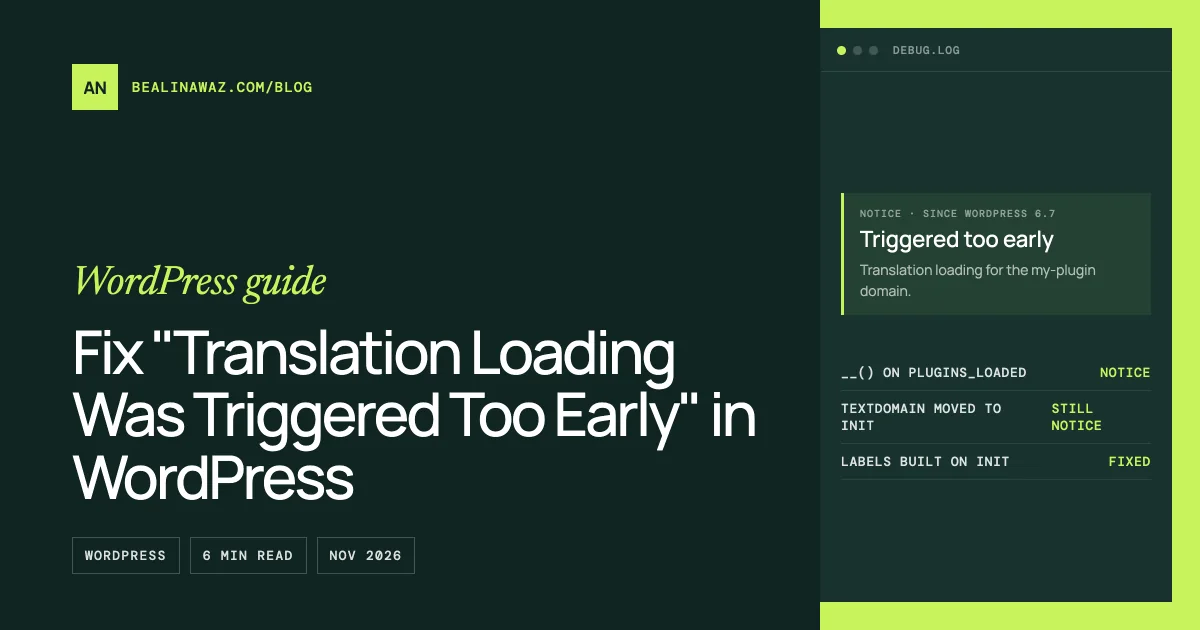
I tried each pattern in a test plugin on WordPress 7.2 (English site, no translation files) and checked whether the notice appeared:
| Code | Notice? |
|---|---|
__() in a class constructor, created on plugins_loaded |
Yes |
Same, with load_plugin_textdomain() moved to init |
Yes, still |
__() at the top level of the main plugin file |
Yes |
register_post_type() with translated labels on plugins_loaded |
Yes |
The same register_post_type() call on init |
No |
get_plugin_data( __FILE__ ) on plugins_loaded |
Yes |
get_plugin_data( __FILE__, false, false ) on plugins_loaded |
No |
The second row is the one most answers get wrong. Moving load_plugin_textdomain() to init doesn't stop the notice, because the notice isn't about where you load the translations. It's about when the first string is translated. For plugins on WordPress.org you can usually delete load_plugin_textdomain() altogether, because WordPress loads their language packs itself.
How to fix each cause
Translate strings when you use them, not when the object is created. Instead of building labels in the constructor:
class My_Plugin {
	private $labels;

	public function __construct() {
		$this->labels = array( 'save' => __( 'Save', 'my-plugin' ) ); // Too early on plugins_loaded.
	}
}
translate inside the method that needs them:
class My_Plugin {
	private function labels() {
		return array( 'save' => __( 'Save', 'my-plugin' ) ); // Runs when the screen is built.
	}
}
Register post types, taxonomies and blocks on init. That's where WordPress expects them anyway:
add_action(
	'init',
	function () {
		register_post_type(
			'book',
			array(
				'labels' => array( 'name' => __( 'Books', 'my-plugin' ) ),
				'public' => true,
			)
		);
	}
);
Read plugin headers without translating them. get_plugin_data() translates the name and description by default. If you only need the version, pass false for $markup and $translate:
$version = get_plugin_data( __FILE__, false, false )['Version'];
Store raw defaults; translate on output. Settings defaults are a common hidden cause, because they're often built when the file loads. Save an empty value and fall back to the translated default where you display it:
$button_label = get_option( 'my_plugin_button_label' ) ?: __( 'Start', 'my-plugin' );
Saving the translated default has another downside: the site keeps that language even after an admin switches the site language.
Class constants and property defaults can't hold __(). PHP doesn't allow a function call there. If you need translatable defaults, return them from a method.
FAQ
Is "translation loading was triggered too early" dangerous?
No. It's a notice for developers. The site works, and translations still load. Keep debug display off on live sites, and update or report the plugin named in the notice.
Why did this notice appear after a WordPress update?
WordPress 6.7 added the notice, and WordPress 6.8 started registering every active plugin's text domain before plugins load. Plugins that had translated strings too early for years started showing it on 6.7 or 6.8, even on English sites.
Does moving load_plugin_textdomain() to init fix it?
Not on its own. The notice is triggered by the first translated string, wherever load_plugin_textdomain() is. Find that first call with the backtrace snippet above and move it later.
How do I find which plugin causes the notice?
The text domain in the notice (for example woocommerce or wpforms-lite) is usually the plugin's or theme's folder name. For the exact file and line, use the mu-plugin above and read wp-content/debug.log.
Can I just hide the notice?
Set WP_DEBUG_DISPLAY to false so notices go to the log instead of the page. Hiding all doing_it_wrong notices with a filter also hides the warnings you'll need later.
When to get help
If the notice comes from a custom plugin or a theme that nobody maintains, I can find the early calls and fix them without changing how the plugin behaves. See WordPress plugin development, or browse my WordPress.org plugins, which all load translations the way this guide describes.