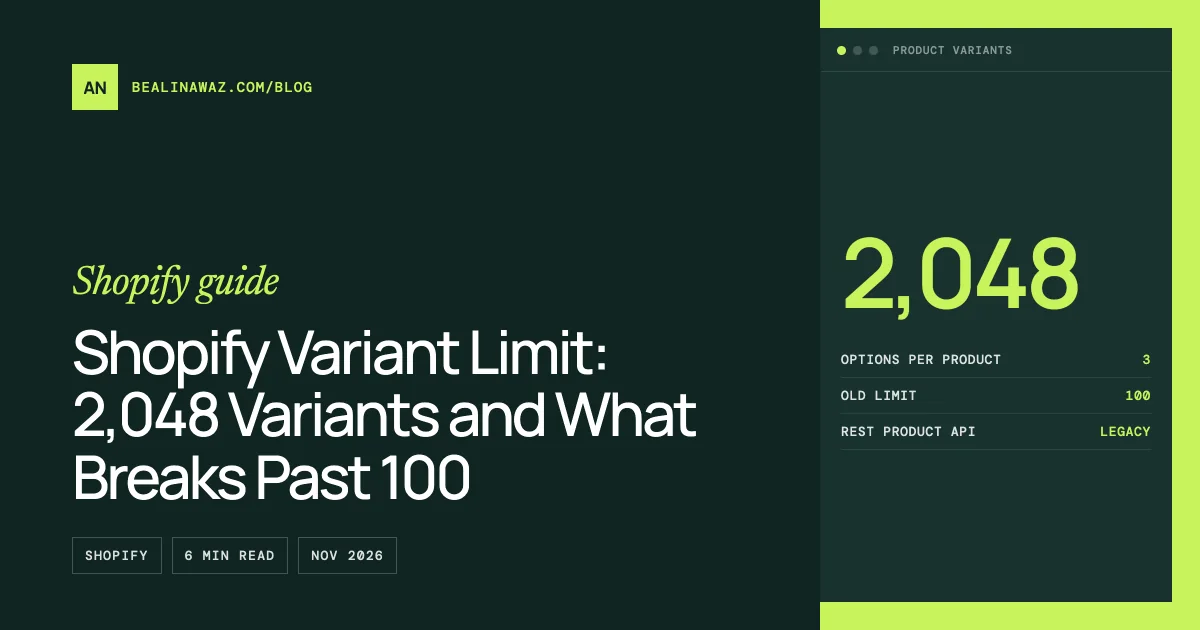
A Shopify product can have up to 2,048 variants and up to three options (for example Color, Size and Material). Shopify raised the limit from 100 to 2,048 for all merchants in October 2025. The catch is the old limit of 100: some third-party themes, apps and sales channels still only handle 100 variants, and apps that read products through the legacy REST Admin API may show broken or incomplete products above that. If you're adding more than 100 variants, check those first. If you build apps, read products through the GraphQL Admin API.
The limits, from Shopify's own pages
| Limit | Value | Source |
|---|---|---|
| Variants per product | 2,048 | Shopify Help Center: "You can create up to 2,048 variants for a product." |
| Options per product | 3 | Same page: "Each product can have up to three options." |
| Since | October 15, 2025, for all merchants (was 100) | Shopify developer changelog |
productSet API |
2,048 variants per product by default | productSet reference |
Three options with many values each multiply fast: 8 colors × 16 sizes × 16 materials is 2,048 variants. One option can't go further, because the variant count is the cap, not the number of values.
What can break past 100 variants
Shopify's changelog warns that merchants "may see degraded or broken behavior" with products over 100 variants if their apps don't use the current GraphQL product APIs. The Help Center adds that "some third-party themes might not support more than 100 variants". In practice, check these before you go past 100 on a live product:
- Your theme's product page. Some older themes load every variant into the page to build the option pickers. Open the product, switch every option, and check that the right price, image and stock show for combinations past the 100th variant.
- Apps that read your products: reviews, bundles, product options, feeds, ERP and inventory sync. Ask the developer whether the app uses the GraphQL product APIs and supports 2,048 variants. An app still on the REST Admin API is the usual suspect.
- Sales channels and feeds: marketplaces and ad feeds have their own variant rules. Check each channel's product status after you publish.
- Your own exports and scripts. Anything that reads
/admin/api/…/products.jsonshould be moved to GraphQL (below).
The alternative, before Shopify raised the limit, was splitting a product into several (for example one per material) and linking them. Shopify Plus stores can group them with the Combined Listings app. If your theme or a key app can't handle more than 100 variants yet, splitting still works.
For developers: stop using the REST product API
Shopify's REST Admin API is "a legacy API as of October 1, 2024", and "starting April 1, 2025, all new public apps must be built exclusively with the GraphQL Admin API" (REST reference). For products, that means reading variants with pagination and writing them with productSet or the bulk variant mutations. I validated the operations below against the 2026-10 Admin GraphQL schema.
Read every variant of a product
query ProductVariants($id: ID!, $cursor: String) {
  product(id: $id) {
    title
    variantsCount {
      count
    }
    variants(first: 250, after: $cursor) {
      nodes {
        id
        title
        sku
        price
      }
      pageInfo {
        hasNextPage
        endCursor
      }
    }
  }
}
Run it with { "id": "gid://shopify/Product/123" }. While pageInfo.hasNextPage is true, run it again with "cursor" set to endCursor. A product with 2,048 variants takes nine requests of 250. Request only the variant fields you use. Every extra field adds to the query cost, and the rate limit is based on that cost.
Create or update a product with all its variants
productSet sets a product's whole state in one call: options, values and variants. For large products, run it asynchronously, which Shopify recommends "if you are experiencing timeouts":
mutation SetProduct($input: ProductSetInput!) {
  productSet(synchronous: false, input: $input) {
    productSetOperation {
      id
      status
    }
    userErrors {
      field
      message
    }
  }
}
Variables (a small example; the shape is the same with 2,048 variants):
{
  "input": {
    "title": "Classic T-shirt",
    "productOptions": [
      { "name": "Color", "values": [{ "name": "Black" }, { "name": "White" }] },
      { "name": "Size", "values": [{ "name": "S" }, { "name": "M" }] }
    ],
    "variants": [
      { "optionValues": [{ "optionName": "Color", "name": "Black" }, { "optionName": "Size", "name": "S" }], "price": "25.00", "sku": "TEE-BLK-S" },
      { "optionValues": [{ "optionName": "Color", "name": "Black" }, { "optionName": "Size", "name": "M" }], "price": "25.00", "sku": "TEE-BLK-M" },
      { "optionValues": [{ "optionName": "Color", "name": "White" }, { "optionName": "Size", "name": "S" }], "price": "25.00", "sku": "TEE-WHT-S" },
      { "optionValues": [{ "optionName": "Color", "name": "White" }, { "optionName": "Size", "name": "M" }], "price": "25.00", "sku": "TEE-WHT-M" }
    ]
  }
}
Then poll the operation until its status is COMPLETE (the other values are CREATED and ACTIVE):
query ProductSetStatus($id: ID!) {
  productOperation(id: $id) {
    ... on ProductSetOperation {
      status
      product {
        id
        variantsCount {
          count
        }
      }
      userErrors {
        field
        message
        code
      }
    }
  }
}
To update an existing product, add its id to the input. productSet sets the product's full state: for list fields such as variants, collections and metafields, it "deletes existing entries that aren't included in the mutation's input". Any variant you leave out is removed. To add or change a few variants without touching the rest, use productVariantsBulkCreate or productVariantsBulkUpdate instead. The mutation needs the write_products scope.
Moving products between stores or platforms
If you're importing products from WooCommerce or another platform, large variant sets are where imports most often fail. Free tools that help:
- Shopify CSV template: build a correct product CSV, with variants on their own rows.
- WooCommerce to Shopify CSV converter: converts a WooCommerce export, keeping variations, images and SEO fields.
Common mistakes
- Assuming 2,048 means your theme is fine. The admin allows it; your product page may not. Test option switching past the 100th variant.
- Paginating with the REST
products.jsonendpoint. Move to GraphQL product queries; REST is legacy and the source of the "broken past 100" reports. - Sending
productSetwithout every variant when updating. Missing variants are deleted. Use the bulk variant mutations for partial changes. - Running large
productSetcalls synchronously. Usesynchronous: falseand pollproductOperationto avoid timeouts.
FAQ
How many variants can a Shopify product have?
Up to 2,048 variants per product, across up to three options. The limit was 100 until Shopify raised it for all merchants on October 15, 2025.
Can a Shopify product have more than three options?
No. Each product can have up to three options, such as Color, Size and Material. If you need a fourth choice, use a product options app or split the product into several products.
Why does my product break after 100 variants?
Usually because a theme or app still assumes the old limit of 100, or reads products through the legacy REST Admin API. Test the product page, then check each app that reads products.
Does the Shopify REST API support 2,048 variants?
Shopify's changelog says apps that don't use the in-support GraphQL product APIs may show degraded or broken behavior with products over 100 variants. Use the GraphQL Admin API for products with many variants.
What's the best way to create a product with hundreds of variants?
Use the productSet mutation with synchronous: false, then poll productOperation until the status is COMPLETE. For changes to some variants of an existing product, use productVariantsBulkCreate or productVariantsBulkUpdate.
When to get help
If an app or integration you rely on still reads products through REST, or breaks on large products, I can move it to the GraphQL product APIs and test it with a 2,048-variant product. See Shopify app development. Related: Shopify Admin API access token in 2026 and what a custom Shopify app costs.